

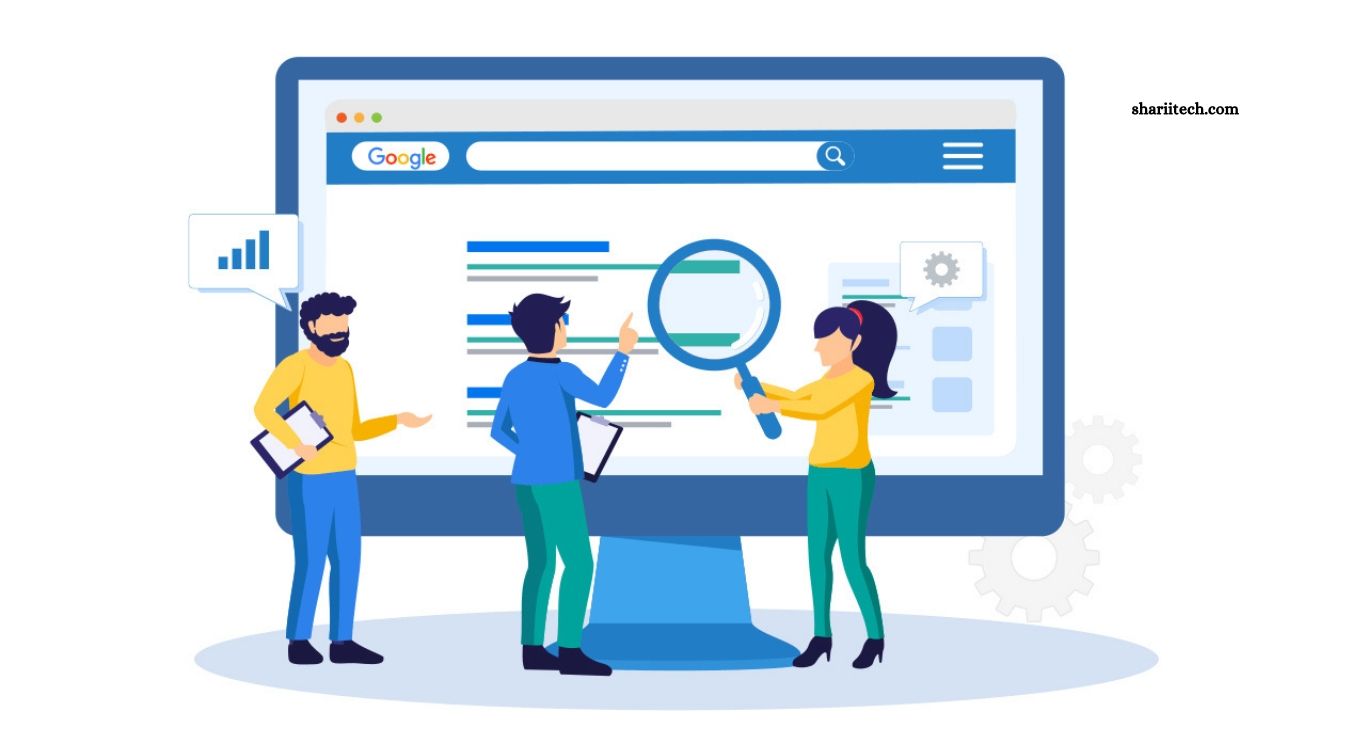
On-page SEO plays an important role in helping search engines understand website content and connect it with relevant search queries. It involves optimizing page elements such as titles, headings, internal links, URLs, images, and written content. When these elements work together, they make information easier to discover and help visitors find answers that match their needs.
Improving content relevance requires more than adding keywords throughout an article. Website owners must understand search intent, provide useful information, organize content logically, and maintain a clear connection between the page topic and the user’s expectations. Applying effective on-page SEO techniques can improve content quality, strengthen topical relevance, and create a better experience for readers.
Read More: How to Speed Up WordPress in India: Core Web Vitals Optimization Guide (2026)
Understand Search Intent Before Writing
Search intent describes the main reason someone enters a query into a search engine. Users may want information, compare products, find a particular website, or complete a purchase. Understanding this purpose helps you create content that answers the right questions instead of focusing only on individual keywords.
Analyze the types of pages appearing in search results for your target query. If the results mainly contain tutorials, a step-by-step guide may be appropriate. If they feature product comparisons, readers may expect detailed evaluations and recommendations. Aligning your content format with genuine user expectations can improve relevance and make your page more useful.
Optimize the Primary Keyword Naturally
A primary keyword represents the central topic or search phrase a page targets. Including it naturally in important locations, such as the title, main heading, introduction, and relevant subheadings, helps establish what the content covers. However, keyword placement should support clarity rather than make the writing sound repetitive.
Avoid forcing the same phrase into every paragraph or using unnecessary keyword variations. Search engines can interpret related language and contextual information, so natural writing is generally more effective than keyword stuffing. Focus on explaining the topic thoroughly and use the primary keyword wherever it fits the sentence and serves the reader.
Write Clear and Descriptive Title Tags
The title tag helps search engines and users understand the main subject of a webpage. It often appears as the clickable headline in search results, making it an important element of on-page SEO. A clear, specific title can communicate relevance and encourage people to choose your page when it matches their needs.
Include the main topic naturally and make the title distinct from those used on other pages of your website. Avoid vague wording, unnecessary repetition, and exaggerated promises that the article does not fulfill. Search engines may generate a different title link when they believe another heading or page text better represents the content, so consistency across page elements matters.
Create Helpful and Relevant Headings
Headings organize information into sections and help readers understand the structure of an article. A clear H1 identifies the main topic, while H2 and H3 headings divide the content into meaningful sections and supporting points. This structure makes long articles easier to scan and helps visitors locate specific information quickly.
Use headings that accurately describe the material beneath them. Incorporate relevant keywords when they fit naturally, but avoid repeating the same phrase in every heading. A logical heading hierarchy also improves accessibility by helping people who use screen readers navigate the page. Well-planned headings support both readability and content relevance.
Cover the Topic With Useful Supporting Keywords
Supporting keywords are related phrases that help explain different aspects of the main subject. For example, an article about on-page SEO may naturally discuss search intent, title tags, internal linking, image optimization, and content structure. These related terms provide context and allow the article to address the topic more comprehensively.
Build a list of related questions and concepts before writing, then include only those that genuinely help answer the reader’s needs. Do not treat every related keyword as a requirement or add irrelevant sections simply to increase keyword coverage. The objective is to create a complete, focused resource rather than an article filled with disconnected search phrases.
Create Original, Helpful, and Accurate Content
High-quality content should answer the reader’s question clearly and provide useful information beyond generic statements. Explain important concepts, offer practical steps, include relevant examples, and support factual claims with trustworthy sources when appropriate. Original insights and firsthand experience can make an article more valuable than pages that repeat information already available everywhere.
Review the article for accuracy, completeness, and clarity before publishing. Remove unnecessary repetition and correct information that may confuse readers. Search engines do not reward content simply because it is long, so prioritize usefulness over word count. A focused article that fully satisfies its intended purpose can be more effective than a lengthy page containing filler.
Improve Internal Linking Between Related Pages
Internal links connect one page of your website to another. They help visitors discover related information and allow search engines to find and understand relationships between pages. For example, an article about keyword research could link to relevant guides about search intent, content optimization, and SEO performance measurement.
Use descriptive anchor text that tells readers what they can expect from the linked page. Avoid adding excessive links or using vague phrases when a more specific description would be helpful. Review your website structure regularly to identify relevant linking opportunities, reduce orphan pages, and ensure important content can be reached through a clear navigation path.
Write Descriptive and User-Friendly URLs
A descriptive URL provides a simple indication of what a webpage contains. Short, readable URLs can help users recognize the subject before opening a page and make website addresses easier to share. Including a relevant phrase may be useful when it accurately represents the page’s main topic.
Avoid unnecessary parameters, long strings of unrelated words, and repeated keyword variations. Use a consistent URL structure across your website and separate words with hyphens for readability. If an established page already has a suitable URL, avoid changing it without a clear reason. When a URL change is necessary, implement an appropriate permanent redirect to help preserve access to the content.
Optimize Images With Relevant Context
Images can make content more understandable and engaging when they support the subject being discussed. Relevant screenshots, diagrams, product images, and original illustrations can explain concepts that are difficult to communicate through text alone. Their placement should make sense within the surrounding section rather than serve only as decoration.
Use descriptive filenames and meaningful alternative text when an image conveys information. Alt text should explain the image’s purpose or important content, not repeat keywords unnecessarily. Compress image files, choose suitable dimensions, and use modern formats where appropriate to support performance. Decorative images generally need empty alt text so assistive technologies can ignore them.
Improve Content Readability and Structure
Readable content helps visitors understand information without unnecessary effort. Use clear sentences, short paragraphs where appropriate, descriptive headings, and examples that explain complicated ideas. Avoid unexplained jargon when writing for beginners, and define specialized terms when they are important to the topic.
Formatting should support the reader rather than make the page visually crowded. Use bullet points for related items, numbered lists for sequential instructions, and tables when comparing information. Review the page on both desktop and mobile screens to ensure the text remains comfortable to read. Better readability supports a positive user experience, although it does not guarantee higher rankings by itself.
Add FAQs That Address Real User Questions
Frequently asked questions can help readers find quick answers to common concerns related to the page topic. Use questions gathered from customer conversations, relevant search queries, support requests, and genuine gaps in the main article. Each answer should be concise, accurate, and useful without simply repeating a paragraph from the body.
Avoid adding unrelated questions solely to target extra keywords. If the main article already answers a question clearly, a separate FAQ may not be necessary. FAQ content should serve readers first, and websites should not assume that adding FAQ sections will automatically produce special search result features. Search engines decide how and when eligible content appears in search results.
Keep Content Fresh and Up to Date
Accurate, current information is essential when a topic involves changing products, software, policies, prices, statistics, or industry practices. Outdated details can reduce a page’s usefulness and undermine readers’ confidence. Reviewing existing content helps identify broken links, obsolete recommendations, missing explanations, and facts that need verification.
Update articles when meaningful changes improve their accuracy or usefulness rather than changing publication dates without making substantive improvements. Add new information where it answers emerging questions, and remove details that are no longer relevant. Evergreen content may require fewer updates, while fast-changing topics need more frequent reviews. The right schedule depends on the subject and the pace of change.
Optimize Meta Descriptions for Relevance
A meta description summarizes a webpage and may appear beneath its title in search results. Although it is not generally a direct ranking factor, a useful description can help users understand what the page offers and decide whether it matches their search. It should accurately reflect the article rather than promise benefits the content does not deliver.
Write a unique description for important pages and explain the main value of the content in natural language. Include the primary topic when appropriate, but avoid keyword stuffing or repetitive wording. Search engines may generate a different snippet from the page itself depending on the user’s query. A relevant description still provides a useful starting point for presenting your content clearly.
Strengthen Content With Relevant Examples and Evidence
Examples help readers understand how a concept works in real situations. For an SEO article, you might demonstrate how to improve a title tag, structure a heading hierarchy, or choose descriptive anchor text. Practical examples turn abstract recommendations into actions readers can apply to their own websites.
Support important claims with reliable documentation, original research, or credible industry sources when appropriate. Clearly distinguish facts from opinions and avoid presenting assumptions as proven results. Evidence and relevant examples can improve trust and usefulness, especially for technical topics. They should add meaningful context rather than exist simply to make the article appear more authoritative.
Improve Page Experience and Technical Accessibility
Relevant content should also be accessible and usable. Pages that load slowly, display intrusive overlays, or behave poorly on mobile devices can frustrate visitors. Review image sizes, unnecessary scripts, mobile layouts, navigation, and other technical elements that may interfere with accessing the information.
Use descriptive link text, adequate color contrast, keyboard-friendly navigation, and accessible page structures. Ensure important content is available to search engines and is not unintentionally blocked by technical settings. A strong page experience supports content discovery and usability, but technical improvements should complement useful information rather than replace it.
Measure On-Page SEO Performance
Monitoring performance helps you understand whether your optimization efforts are producing useful results. Google Search Console can show search queries, impressions, clicks, click-through rates, and average positions for pages appearing in Google Search. Analytics tools can provide additional information about engagement, conversions, and how visitors interact with the website.
Evaluate these metrics in context instead of relying on a single number. A page may receive more impressions but fewer clicks, suggesting that its title or search visibility deserves further review. If visitors arrive through relevant queries but cannot find the information they need, the content structure may need improvement. Use performance data to identify specific problems and test reasonable changes over time.
Common On-Page SEO Mistakes to Avoid
Keyword stuffing, duplicate title tags, misleading headings, irrelevant internal links, and thin content can weaken the quality of a page. Publishing several articles that target nearly identical search intent without a clear distinction may also create unnecessary overlap across a website. Each page should have a defined purpose and offer a clear reason to exist.
Another mistake is making SEO changes without evaluating their effect. Rewriting titles, changing URLs, or removing content can have unintended consequences if the original page already performs well. Establish a baseline before making major changes and monitor results afterward. Consistent reviews and thoughtful improvements are generally more useful than repeatedly changing elements without a clear strategy.
Frequently Asked Questions
What is on-page SEO?
On-page SEO involves optimizing webpage content and elements, such as titles, headings, URLs, images, and internal links, to improve clarity and search relevance.
How do keywords improve content relevance?
Relevant keywords help communicate a page’s subject, while related terms and useful explanations provide context for readers and search engines.
Are meta descriptions a Google ranking factor?
Meta descriptions are not generally a direct ranking factor, but clear descriptions can help users understand a page in search results.
How often should website content be updated?
Update content when information becomes outdated, facts change, links break, or meaningful improvements can make the page more useful.
Do internal links help SEO?
Yes. Relevant internal links help users navigate a website and help search engines discover pages and understand relationships between content.
How can I measure on-page SEO performance?
Use Google Search Console to review search queries, impressions, clicks, click-through rates, and average positions, alongside suitable analytics data.
Conclusion
On-page SEO techniques that improve content relevance focus on understanding search intent, organizing information clearly, using keywords naturally, creating helpful content, and connecting related pages through meaningful internal links. Title tags, headings, image optimization, readable formatting, accurate information, and technical accessibility all contribute to a stronger user experience. Successful optimization begins with the reader’s needs rather than a checklist of ranking factors.

3 Comments
Pingback: Influencer Marketing India: Brand Creator Partnership Guide
Pingback: How to Get Cited in Google AI Overviews: An SEO Guide for Indian Websites (2026)
Pingback: Schema Markup for Indian Websites: A Complete 2026 Guide to Rich Results