


Introduction
Images are often the heaviest part of an Indian business website, and the most neglected part of its SEO. A homepage with a 4 MB banner, product photos straight from a phone camera, and decorative images with names like IMG_4521.jpg will load slowly on a mobile connection, frustrate visitors, and send weak signals to Google.
Image SEO is the practice of optimising images so that search engines can understand them, pages load faster, and images themselves rank in Google Images and Discover. Done well, it improves rankings, user experience and accessibility at the same time. Done badly, or not at all, it quietly costs traffic every day.
This guide covers the full image SEO workflow for Indian websites: choosing formats, compressing files, writing alt text, naming files, using structured data, and auditing existing images. It is written for WordPress sites in particular, but the principles apply to any platform.
Why Image SEO Matters More in India
India is a mobile-first market with widely varying connection speeds. A user on a 4G connection in a metro city and a user on a slower connection in a smaller town may open the same page, but their experience will be very different if images are unoptimised. Google measures this through Core Web Vitals, especially Largest Contentful Paint, which is often an image on Indian business homepages.
Images also drive discovery. Many Indian users search visually: for a product, a hairstyle, a home design, a recipe, or a local service. A well-optimised product or portfolio image can appear in Google Images and send qualified traffic that a text ranking alone would miss. For e-commerce, real estate, food, fashion and home services, image search is not a side channel. It is a buying channel.
Accessibility is a third reason. Alt text helps screen reader users understand images, and it also helps search engines understand them. A site that writes good alt text is serving both audiences at once, and that is exactly the kind of quality Google rewards.
Step 1: Choose the Right Format
Format choice is the fastest win in image SEO, because it reduces file size before you do anything else.
Use WebP as your default format for photographs and illustrations on the web. WebP typically produces files 25 to 35 percent smaller than JPEG at similar quality, and modern browsers support it well. For simple graphics with transparency, such as logos, PNG is still useful, but keep those files small and use SVG for icons and simple vector graphics where possible.
Avoid uploading BMP, TIFF or uncompressed PNG photographs. Avoid using a PDF as an image substitute. If your site already serves JPEGs, a WordPress optimisation plugin can convert them to WebP automatically, but check the results on a few pages before converting everything.
As a rule, aim for hero images under 200 KB and body images under 100 KB after compression. These are targets, not absolute limits: a detailed portfolio image may legitimately be larger, but a blog illustration should never need to be 2 MB.
Step 2: Resize Images to Their Display Size
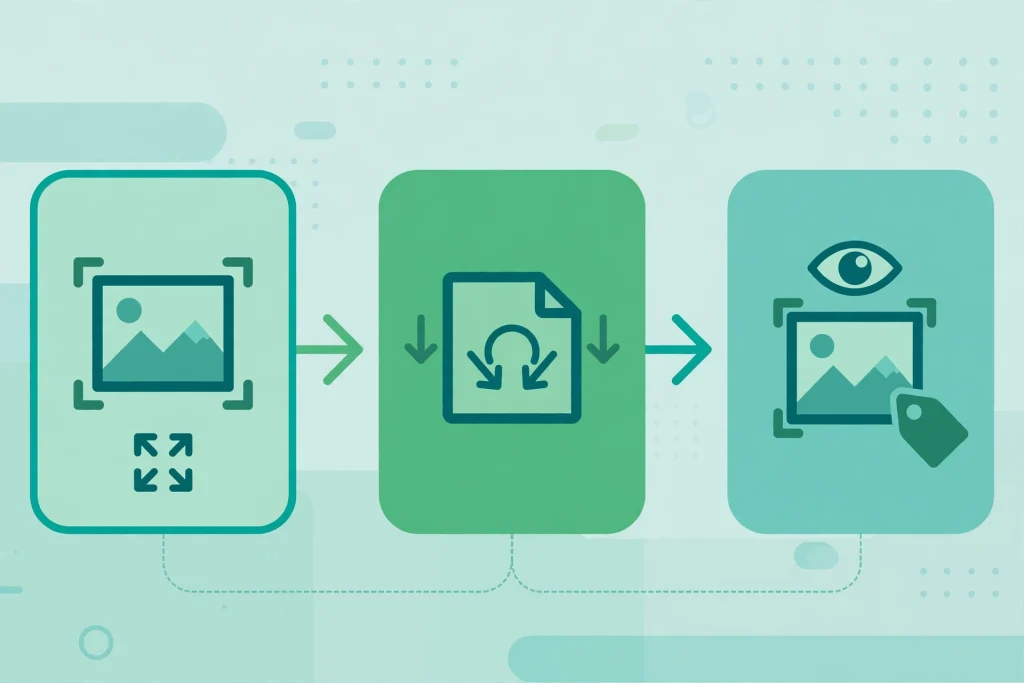
One of the most common mistakes on Indian websites is uploading a 4000-pixel-wide photo and displaying it at 800 pixels. The browser still downloads the full file, so the user pays for pixels they never see.
Before uploading, resize each image to the largest size at which it will actually display. For most WordPress themes, a blog body image needs to be no wider than 1200 pixels, and a thumbnail needs far less. WordPress creates several sizes automatically, but it cannot fix an oversized original, and it will still serve a large file if the theme requests it.
Use responsive images correctly. WordPress normally adds srcset attributes that let the browser choose a suitable size, but this only helps if the original upload is sensibly sized and the theme uses those attributes. Test your pages on a phone, not only on a desktop, and check the actual file sizes being downloaded with your browser developer tools.
Step 3: Compress Without Ruining Quality
Compression removes unnecessary data from an image file. Lossy compression, used carefully, can cut file size dramatically with no visible difference on a phone screen.
Compress every image before upload, or use a reputable optimisation plugin that compresses on upload. Tools such as TinyPNG, Squoosh and ShortPixel are widely used, and many Indian hosting plans include an optimisation option. Compare the original and compressed versions side by side at the size they will display, not at full zoom. If text in an infographic becomes unreadable, use a higher quality setting for that image.
Do not compress the same JPEG repeatedly. Each save loses quality. Keep a high-quality original in your own files, and create a separate web version for upload.
Step 4: Write Descriptive File Names
A file name is a small ranking signal, but it is also a hygiene signal. A file named “red-silk-saree-blouse-design.jpg” tells Google and your own team what the image shows. A file named “IMG_4521.jpg” tells nobody anything.
Rename files before upload, using lowercase letters, hyphens between words, and a short descriptive phrase. Include the main subject, and the target keyword only where it fits naturally. Do not stuff five keywords into a file name, and do not rename images already indexed without a reason, because the URL change can temporarily lose their image search history.
Keep a consistent naming pattern across your site, such as subject-location-format or product-colour-view. Consistency makes future audits far easier.
Step 5: Write Alt Text That Actually Helps
Alt text serves two audiences: people using screen readers, and search engines trying to understand an image. Good alt text describes what is in the image, in plain language, in one sentence.
For example, for a product photo, write “Handwoven red silk saree with gold zari border, draped on a model” rather than “saree” or a keyword-stuffed sentence. For a chart, summarise the finding: “Bar chart showing website traffic rising after image compression.”
Follow these rules:
- Describe the image, not the page topic, unless they genuinely match.
- Keep alt text under about 125 characters where possible.
- Use the target keyword only when it accurately describes the image.
- Leave purely decorative images with empty alt text, so screen readers skip them, rather than forcing a description.
- Never write alt text that is identical on every image of a page.
Alt text is also a ranking opportunity for image search, but it should never be treated as a place to hide keywords. Google can recognise keyword stuffing in alt text, and it helps nobody.
Step 6: Use Captions, Titles and Surrounding Text Wisely
Search engines use the text around an image to understand it. An image placed next to a relevant paragraph, with a clear heading above it, is easier to rank than the same image floating in an unrelated section.
Captions are useful when they add information the reader needs, such as a product name, a location, or a credit. They are not required on every image, and they should not simply repeat the alt text. The image title attribute, by contrast, adds little SEO value and can be left blank in most cases.
Structured data strengthens image understanding further. Product pages should use Product schema with image properties, articles should use Article schema, and recipe or local business pages should use their relevant types. A clear guide to schema markup for Indian websites shows how to implement this correctly. When schema, alt text, file name and surrounding text all agree, Google can confidently show the image for relevant queries.
Step 7: Lazy Loading, CDNs and Indian Connection Speeds
Lazy loading means images below the fold load only when the user scrolls near them. WordPress adds loading=”lazy” to most images by default, which helps initial page speed. Do not lazy load the hero image or the largest contentful paint image, because that delays the very element Google measures first.
A content delivery network, or CDN, can also help Indian users by serving images from a server closer to them. Many Indian hosting providers and free CDN tiers include servers in or near India. Test page speed from an Indian location, not only from a US test server, because the results can differ sharply.
Also consider Google Discover. Discover can send large bursts of mobile traffic, but it requires a large, high-quality image, at least 1200 pixels wide, and a max-image-preview:large setting. If Discover traffic matters to your niche, make sure your featured images meet that size and are not blocked by a restrictive robots setting.
Step 8: Image SEO for E-commerce and Local Businesses
For online stores, image SEO directly affects sales. Use multiple angles for each product, keep backgrounds consistent, and name each view clearly, such as “blue-cotton-kurta-front-view” and “blue-cotton-kurta-fabric-closeup.” Add Product schema, and make sure the main product image is the one Google will show in search results.
For local businesses, images of the premises, team, work and local area help both rankings and trust. A restaurant, salon, clinic or coaching centre should upload real photos, with alt text naming the service and city where relevant, and keep its Google Business Profile photos updated too. Stock photos alone rarely convince a local buyer.
Avoid using other businesses’ images without permission. Apart from the legal risk, duplicate images already indexed elsewhere are unlikely to rank for you. Original photos, even taken on a good phone and properly compressed, usually outperform generic stock.
Auditing the Images You Already Have
Most Indian business sites do not need new images as much as they need an audit of old ones. Work through this checklist once per quarter:
- Find the ten heaviest pages in your analytics or speed test, and compress their images first.
- Search your media library for files over 500 KB and resize or recompress them.
- Check that every important image has descriptive alt text, and fix empty alt text on product and article images.
- Rename only the worst offenders, and only where the image is not already ranking well.
- Remove unused images from old posts that no longer serve a purpose, to keep the media library manageable.
- Re-test page speed on mobile after the fixes, from an Indian location.
This audit pairs naturally with a broader on-page review. Our on-page SEO checklist for Indian websites covers titles, headings, internal links and technical items alongside images, so the two audits fit together well.

Tools Worth Using
You do not need an expensive toolset for image SEO. A practical stack for a WordPress site is: an image editor or Squoosh for resizing, a compression plugin such as ShortPixel or Imagify for WebP conversion, and Google PageSpeed Insights plus Search Console for measurement. Search Console’s image search performance report shows which images actually bring clicks, which is far more useful than guessing.
Avoid installing three optimisation plugins at once. They can conflict, double-compress images, or break lazy loading. Choose one, configure it, and test a few pages thoroughly.
Common Image SEO Mistakes
Uploading full-size phone photos is the biggest mistake, followed by missing alt text, generic file names, and text baked into images instead of written as real page text. Text inside an image cannot be indexed as page content, so a price list or infographic made only as an image is invisible to search engines. Always include the key information as real text on the page as well.
Another mistake is using the same image, with the same file name and alt text, on many pages. Google may index only one version. Use distinct, relevant images for distinct pages, especially for service and location pages.
Finally, do not chase image optimisation at the expense of quality. A blurry, over-compressed hero image damages trust more than a slightly larger file helps speed. Aim for the smallest file that still looks sharp at its display size.
Frequently Asked Questions
What is image SEO?
Image SEO is the practice of optimising images for search engines and users: choosing efficient formats, compressing and resizing files, writing descriptive file names and alt text, and using structured data so images can rank in Google Images and pages load faster.
Is WebP better than JPEG for SEO?
For most web photographs, yes. WebP usually produces smaller files than JPEG at similar quality, which improves page speed, a ranking factor. Keep a high-quality original offline, and serve WebP on the site with a JPEG fallback only if your audience uses very old browsers.
How do I write good alt text?
Describe what the image actually shows, in plain language, in one short sentence. Include a keyword only if it fits the description naturally. Avoid keyword stuffing, avoid repeating the same alt text on every image, and leave purely decorative images with empty alt text.
Does image SEO help rankings, or only image search?
Both. Faster pages improve Core Web Vitals and user experience, which support overall rankings, while optimised file names, alt text and schema help individual images rank in Google Images and Discover, bringing additional qualified traffic.
How often should I audit my site images?
Audit your heaviest pages quarterly, and optimise every new image before upload. A quarterly routine prevents the slow build-up of oversized files that gradually drags down site speed, especially on image-heavy Indian business sites.
Conclusion
Image SEO is not a separate, technical chore. It is part of publishing well. Resize before upload, compress sensibly, choose WebP, name files descriptively, write honest alt text, and lazy load everything except the hero image.
Start with your ten heaviest pages this week. The speed improvement is usually visible immediately, and the image search traffic follows as Google re-crawls your optimised images. For a site that wants both faster pages and more discovery, there are few cheaper wins than fixing its images. Internal links also matter for image-rich pages, so pair this work with a solid internal linking strategy for Indian websites.

2 Comments
Pingback: E-commerce SEO for Indian Online Stores: A Complete 2026 Guide
Pingback: Keyword Research for Indian Websites in 2026: Find Keywords That Actually Rank