

Introduction
Every day, thousands of Indian small and medium enterprises handle invoices, customer records, GST filings, payroll, and supplier contracts digitally. Yet most of them have no real plan for what happens when that data disappears. A hard drive crash, a ransomware attack, an accidental deletion, a flood during monsoon season, or even a stolen laptop can wipe out years of business records in seconds. For Indian SMEs operating on tight margins, that kind of data loss is not just an inconvenience, it can be the end of the business.
The numbers are sobering. Global studies consistently show that a large share of small businesses that lose critical data permanently close within two years. Indian SMEs face the same risks, plus some that are uniquely local: frequent power cuts in smaller cities, monsoon flooding in low-lying commercial areas, and a fast-growing wave of ransomware attacks targeting small Indian firms that attackers assume have weak defences. A solid approach to cybersecurity for Indian SMEs is essential, but prevention alone is not enough. You also need a plan to recover when something goes wrong anyway.
This guide covers the 3-2-1 backup rule, cloud backup options available in India, what a disaster recovery plan should contain, realistic costs in rupees, and the compliance points that matter under Indian law.
Why Data Backup Matters More Than Ever for Indian SMEs
India’s SME sector is going digital at an unprecedented pace. UPI transactions, GST e-invoicing, cloud accounting tools like Tally Prime and Zoho Books, and WhatsApp Business chats have all become standard. This digitisation concentrates risk: if your one office computer or your single cloud account is compromised, the business can grind to a halt.
Common scenarios for Indian businesses:
- Ransomware attacks: Cybercriminals increasingly target Indian SMEs because they know backups are rare. One clicked phishing email can encrypt your entire customer database, and attackers may demand payment in cryptocurrency to release it.
- Hardware failure: A shop-floor PC, a server in the back office, or an external hard drive will eventually fail. In India’s heat and with unstable power in some regions, hardware lifespans can be shorter than expected.
- Human error: Employees accidentally delete folders, overwrite spreadsheets, or format the wrong drive. These are the most common causes of data loss in small businesses worldwide.
- Natural disasters: Monsoon floods in cities like Mumbai, Chennai, and Kolkata, plus the occasional earthquake risk in northern regions, can physically destroy on-site equipment.
- Theft and misplacement: A laptop left in a taxi or stolen from a coworking space takes its data with it.
Without backups, recovering from any of these means rebuilding records manually, losing weeks of work, facing GST compliance penalties, or permanently losing customer relationships. With a proper backup and disaster recovery setup, most of these events become a one-day inconvenience.
Understanding the 3-2-1 Backup Rule
The 3-2-1 backup rule is the most widely recommended backup strategy in the industry, and it works perfectly for Indian SMEs of any size. It is simple:
- 3 copies of your data: Keep the original plus two backups. If one backup fails or is corrupted, you still have another.
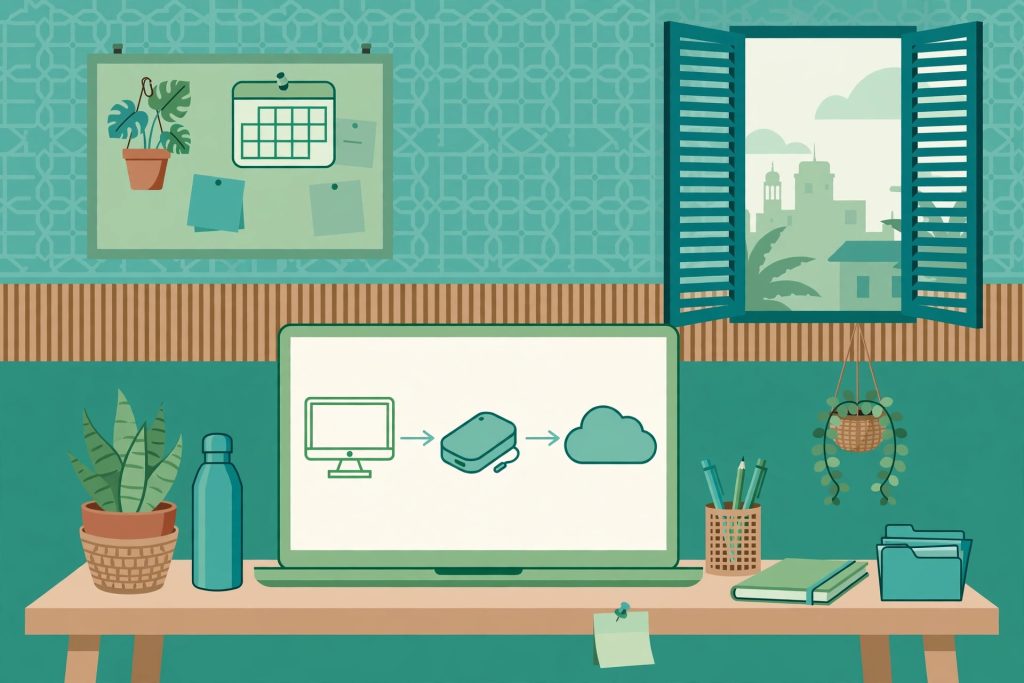
- 2 different media types: For example, one copy on an external hard drive and another in cloud storage. This protects you if one storage technology fails or becomes unreadable.
- 1 copy offsite: Store at least one copy in a different physical location. For most Indian SMEs, this means cloud storage with a data centre in a different city, so a flood or fire at your office cannot destroy all copies at once.
Putting 3-2-1 into practice is straightforward. A retail shop in Jaipur might keep its Tally data on the office PC (copy 1), on a weekly-synced external hard drive kept at the owner’s home (copy 2), and in an Indian cloud backup service (copy 3, offsite). A digital agency in Bengaluru might rely on two cloud services in different regions plus a local NAS device. The principle scales with the business.
Types of Backups: Full, Incremental, and Differential
Choosing how your backups run affects storage costs, backup speed, and restore speed. Here are the three main types:
- Full backup: Copies everything, every time. Simplest to restore from, but slowest and most storage-hungry. Best run weekly for small data sets.
- Incremental backup: Copies only what changed since the last backup of any kind. Fast and cheap on storage, but restoring requires the last full backup plus every incremental since then. This is the default mode of most cloud backup tools.
- Differential backup: Copies everything changed since the last full backup. Simpler to restore than incremental, since you only need the last full backup plus the latest differential.
For most Indian SMEs, the practical setup is a full backup weekly plus incremental backups daily, giving a full week’s worth of restore points with reasonable storage costs.
Cloud Backup Options for Indian SMEs in 2026
Cloud backup is the easiest way for an Indian SME to get its offsite copy, and several options work well in the Indian market:
- IDrive: Affordable per-TB pricing, multiple devices under one account, and data centres close to India. Good for offices with several computers.
- Backblaze Business Backup: Simple, low-cost backup per computer, billed in dollars. Works fine over Indian broadband, though large restores can be slow on limited connections.
- Acronis Cyber Protect: Backup combined with anti-ransomware protection. Indian resellers offer it with local support and GST invoices.
- Google Workspace / Microsoft 365 built-in tools: If your business runs on either platform, enable their retention features, but add a third-party backup tool for a real safety net, since these are not full system backups.
- Indian cloud providers: Companies like Zoho, and Indian data centre operators such as CtrlS and Nxtra, offer storage with data resident in India, which helps with compliance.
When evaluating any provider, check four things: a data centre in India (Mumbai, Chennai, Hyderabad, or Delhi NCR), encryption in transit and at rest, GST invoicing for input tax credit, and local support in your timezone.
A guide to cloud computing for Indian SMEs can help you decide how backup fits into your wider move to the cloud.
Building a Disaster Recovery Plan That Actually Works
A backup is a copy of your data. A disaster recovery (DR) plan is the documented procedure for getting your business running again after a disaster. Backups without a plan are just files nobody knows how to use under pressure. Every Indian SME, even a ten-person firm, should have a simple written DR plan.
Step 1: Identify Your Critical Data and Systems
List what your business cannot function without: accounting software and its database, customer contact lists, pending orders, payroll data, GST filings, contracts, and email. Rank them so you restore the most important systems first.
Step 2: Define RTO and RPO
Two targets matter here:
- RTO (Recovery Time Objective): How quickly must each system be back online? For most SMEs, email and billing should recover within 4 to 24 hours.
- RPO (Recovery Point Objective): How much data can you afford to lose? A daily backup means an RPO of 24 hours. Businesses processing many daily transactions may need backups every few hours.
Step 3: Assign Roles
Name specific people: who declares a disaster, who contacts the IT vendor, who communicates with customers, and who verifies restored systems. In a small firm this may be just two or three people, but the names must be written down.
Step 4: Document the Recovery Steps
Write numbered instructions: where the backups live, login credentials (stored securely, for example in a password manager the owner can access), the order in which systems get restored, and contact numbers for IT support. Keep a printed copy somewhere safe, since you cannot rely on digital notes when systems are down.
Step 5: Test Your Restores Regularly
This is the step most SMEs skip, and it is the most important. A backup that has never been tested is a hope, not a plan. Every quarter, restore a sample of files and confirm they open correctly. Once a year, walk through the DR plan with your team as if a real incident happened. Many Indian businesses discover during these tests that their backups were silently failing for months.
Realistic Backup Costs for Indian SMEs
One of the biggest myths is that proper backup is expensive. In 2026, a solid backup setup is very affordable:
- External hard drives: A reliable 2TB external drive costs roughly Rs. 6,000 to Rs. 8,000. Two drives rotated weekly is a solid local backup layer for a small office.
- Cloud backup: Rs. 500 to Rs. 1,500 per month for a small office with a few computers. Suites like Acronis may run Rs. 2,000 to Rs. 5,000 per month depending on devices and features.
- NAS device (optional): Rs. 20,000 to Rs. 40,000 including drives, for automated local backups. Best for 10+ employees or large design files.
- IT partner support: Indian managed service providers often charge Rs. 3,000 to Rs. 10,000 per month for backup monitoring and DR planning. Worth it if you have no in-house IT staff.
Compare this to the cost of losing your data: rebuilding GST records, losing customer trust, and weeks of downtime can easily cost lakhs. Backup is one of the cheapest insurance policies a business can buy.
Compliance and Legal Considerations in India
Indian SMEs must keep a few compliance points in mind when planning backups:
- Data residency: RBI guidelines require payment data of Indian customers to be stored in India. If your business handles payments, keep cloud backups in Indian data centre regions.
- GST records: Under GST law, businesses must maintain records, generally for 72 months from the due date of the annual return. Your backup retention policy should reflect this.
- IT Act, 2000: The Act and its rules require reasonable security practices for sensitive personal data. Encrypted backups with regular testing count as part of such practices.
Common Backup Mistakes Indian SMEs Make
Avoid these frequent errors:
- Backing up only to one external drive kept next to the computer. Fire, flood, or theft destroys both.
- Never testing restores. Corrupted or incomplete backups are discovered only during a real emergency.
- Forgetting mobile devices and WhatsApp Business chats. For many Indian SMEs, critical customer conversations live on phones, so enable cloud backup for business phones.
- Storing backup credentials only on the backed-up computer. Keep credentials in a separate secure location, or you cannot reach the backup when the computer dies.
- No documented plan. When the owner is travelling and the server fails, the team has no idea what to do.
Frequently Asked Questions
How often should an Indian SME back up its data?
Run incremental backups daily and a full backup weekly, automated so it never depends on someone remembering. Businesses with heavy daily transactions should consider backups every few hours during working days.
What is the 3-2-1 backup rule in simple terms?
Keep three copies of your data, on two different types of storage, with one copy stored offsite. For example: the original on your office PC, a copy on an external hard drive, and a copy in cloud storage. No single failure can then destroy all your data.
How much does data backup cost for a small business in India?
Roughly Rs. 500 to Rs. 2,000 per month for cloud backup, plus a one-time Rs. 6,000 to Rs. 16,000 for external drives. Even with an IT support partner, most small offices achieve solid protection for under Rs. 10,000 per month.
What should be in a disaster recovery plan for a small business?
A practical DR plan lists critical systems in restore priority order, defines recovery time and data-loss targets (RTO and RPO), names the people responsible for each recovery step, documents exact restore procedures with credentials stored separately, and includes a schedule for testing restores at least quarterly.
Can ransomware be defeated with backups alone?
Backups are your best defence against ransomware, but only if done right: keep at least one copy offline or immutable so attackers cannot encrypt it, and test restores regularly. Combine backups with preventive measures like email security, software updates, and staff training on phishing.
Conclusion
Data backup and disaster recovery are not luxuries reserved for large corporations. In 2026, with affordable cloud options, Indian data centre regions, and simple automated tools, any Indian SME can build a robust safety net for a few thousand rupees a month. The 3-2-1 rule gives you the strategy, cloud backup gives you the offsite copy, and a written disaster recovery plan with regular testing gives you the confidence that recovery will actually work when it matters.
Start this week: inventory your critical data, set up automated daily backups with an offsite copy, write down your recovery steps, and schedule your first restore test. As your business grows and adopts more AI tools and automation, the data those tools generate becomes even more valuable, making backup discipline all the more important.

2 Comments
Pingback: Local SEO Strategies That Help Small Businesses Get Found - Sharii Tech
Pingback: Microsoft 365 Outage India: What Businesses Must Do in 2026