

Introduction
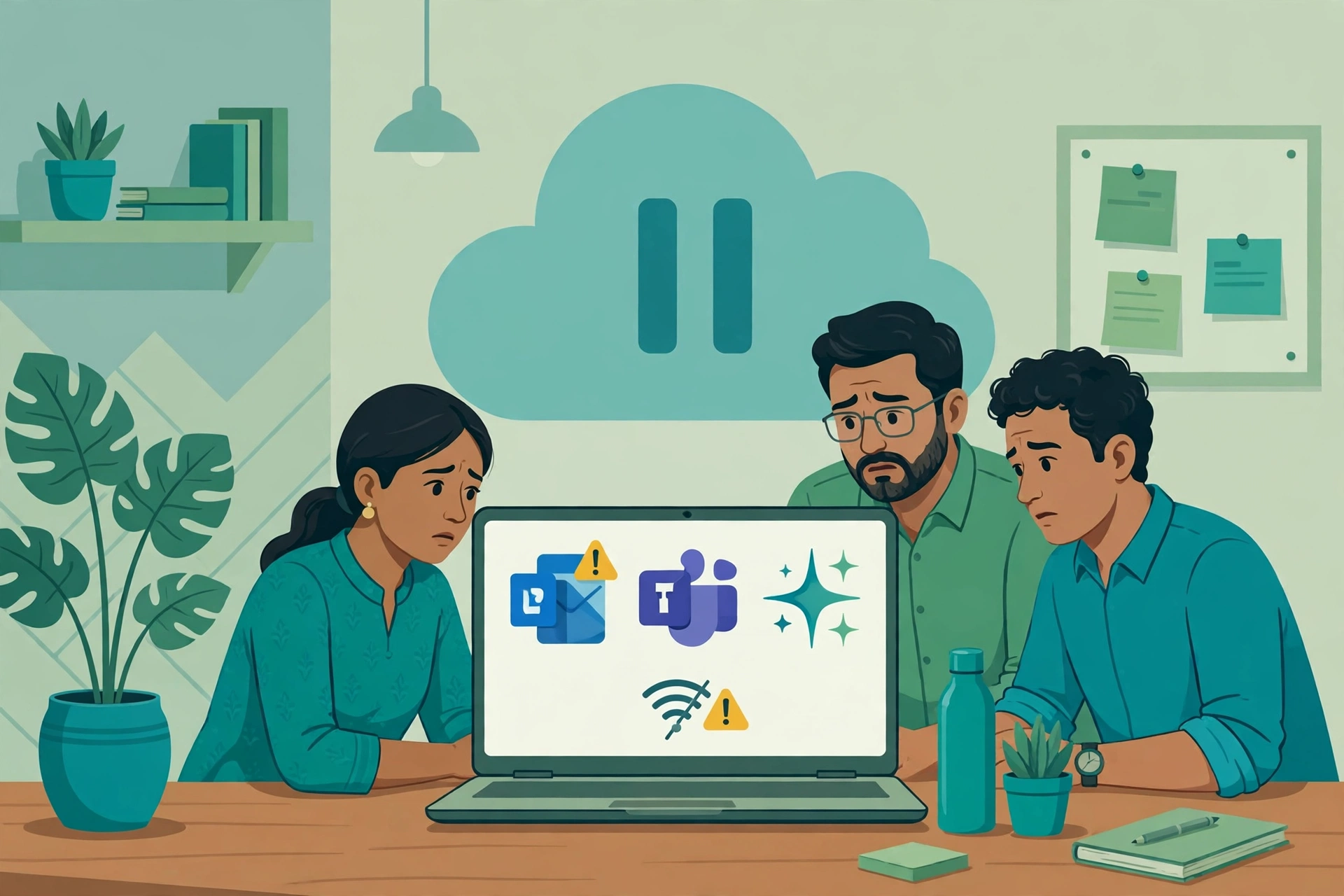
On 12 November 2026, Microsoft 365 stopped working properly for lakhs of users around the world, including a large number in India. Outlook refused to load, Teams calls dropped, Copilot went quiet, and many Indian offices started their Friday morning with an inbox that would not open. Downdetector recorded a sharp spike in complaints from India, with Outlook the most reported service, followed by Teams and the Microsoft 365 admin portal.
If your business runs on Microsoft 365, this outage probably cost you time, delayed replies, and a few awkward phone calls. The good news is that the problem was on Microsoft’s side, not yours, and no action on your computer could have fixed it. The better news is that a few simple steps can keep your business running the next time it happens, because there will be a next time.
This guide explains what happened in the Microsoft 365 outage, what Indian businesses should do right now, how to keep working while email is down, and how to prepare for the next outage in a single day. It is written in plain language for business owners and managers, not only for IT teams.
What Happened in the Microsoft 365 Outage
Microsoft confirmed a service incident affecting Microsoft 365 on 12 November 2026. The company tracked the problem under the incident IDs EX1550543 for Exchange Online and MO1550821 for Microsoft 365, and published updates through the Microsoft 365 Service health dashboard and its official status account on X.

The outage began during the late evening of 12 November in India and continued into the morning of 13 November. For many Indian users, the worst of it arrived exactly when the working day started on Friday. Outlook on the web showed error messages or refused to sign in, the Outlook desktop app could not connect to the server, Teams meetings failed to join, and Copilot features inside Word, Excel and Outlook stopped responding. OneDrive and SharePoint were also affected for some users, although they recovered sooner than email in most reports.
Microsoft said the issue was linked to its service infrastructure rather than to any single app, which is why so many services failed at the same time. The company worked through the night on a fix and reported gradual recovery during 13 November. Some users found their services back within a few hours, while others waited much longer, because recovery rolled out in stages across regions.
The scale of the problem was visible on Downdetector, where outage reports from India rose into the thousands within an hour. India was among the worst affected countries, partly because the outage hit during the Indian working day, and partly because so many Indian companies, from small traders in Surat to large IT firms in Bengaluru, depend on Outlook for daily business.
Which Services Went Down
The Microsoft 365 outage touched almost every part of the suite that Indian offices use daily. The main services affected were:
- Outlook and Exchange Online: the worst hit service. Webmail would not load, the desktop app showed “disconnected” or “trying to connect”, and sent mail sat in the Outbox.
- Microsoft Teams: meetings failed to start, chat messages were delayed, and calls dropped mid-conversation.
- Microsoft Copilot: AI features inside Outlook, Word, Excel and Teams stopped working because they depend on the same cloud services.
- OneDrive and SharePoint: file syncing and document access were slow or unavailable for some users.
- Microsoft 365 admin centre: administrators could not check service health or manage users for a period, which made the outage harder to diagnose from inside an affected company.
- Word, Excel and PowerPoint online: the web versions of Office apps were slow or unreachable for some users, although desktop versions kept working with locally saved files.
What kept working is just as important. Gmail, Google Workspace, Zoho Mail, WhatsApp, phone calls and SMS were unaffected, because they run on completely separate systems. Desktop Office apps also kept working for documents already saved on your computer. That difference is the key to surviving the next outage, as this guide explains below.
What Indian Businesses Should Do Right Now
If your Outlook is still down, or if it has just come back, follow these steps in order. They are written for a business owner, not an IT engineer.
First, check whether the problem is Microsoft’s or yours. Open the Microsoft 365 Service health page or search for “Microsoft 365 status” on your phone. If Microsoft lists an active incident, the problem is theirs and nothing on your computer will fix it. You can also check Downdetector India to see whether other users in your city are reporting the same problem.
Second, tell your team in one message. Do not let ten people discover the outage separately and waste an hour each. Send a short message on WhatsApp or your office group: “Outlook and Teams are down because of a Microsoft outage. Use phone and WhatsApp for urgent work. Do not keep retrying Outlook.” One message saves a morning of confusion.
Third, do not try to fix what is not broken. During this outage, many users made things worse by trying to repair their own setup. Do not reinstall Microsoft Office. Do not reset your password. Do not delete your Outlook profile or your email account from your phone. None of these actions fixes a server-side outage, and deleting a profile can destroy locally cached mail that you may need. Wait for Microsoft to confirm recovery, then simply restart Outlook.
Fourth, protect your urgent work. If an email must go out today, such as an invoice, a quotation or a payment reminder, send it from a backup channel. Use your phone, a personal email account, or WhatsApp Business, and clearly mention in the message that it is being sent from an alternative address because of the outage. Customers understand, and a clear message is far better than silence.
Fifth, keep a simple record. Note the time your services stopped working, the time they recovered, and which work was delayed. This record matters for two reasons. It helps you claim a service credit from Microsoft, as explained in the recovery section below, and it gives you the facts for your post-incident review.
How to Keep Working Without Email
An email outage feels like a full stop, but most business work can continue with a small shift in habits. Here is how Indian small businesses kept working during this outage.
Use cached mail. The Outlook desktop app and the Outlook mobile app store copies of recent emails on your device. Even when the server is unreachable, you can usually read old emails, find phone numbers, and check order details from the cache. Open Outlook in offline mode instead of closing it in frustration.
Switch urgent conversations to phone and WhatsApp. For anything time sensitive, call the customer or supplier. WhatsApp Business is already the default channel for many Indian customers, so use it openly during an outage. A short message such as “Our email is down due to the Microsoft outage, please share the details here” keeps the work moving and looks professional.
Use Teams chat and calls only if they are working. Teams was affected by this outage too, so do not assume it is a safe fallback. Test it once, and if it fails, move on to phone and WhatsApp without wasting time.
Keep meetings on the phone. If a Teams meeting cannot start, call the participants and hold the meeting as a conference call. Reschedule only the meetings that genuinely need a screen share, and do that after services recover.
Work on local files. Desktop Word, Excel and PowerPoint keep working with files saved on your computer, so use the outage hours for work that does not need email. Draft quotations, update price lists, prepare reports, and queue them to send once Outlook returns.
Update your customers in one place. If your business has a website or a Google Business Profile, post a short notice: “Our email is temporarily down due to a Microsoft 365 outage. For urgent queries, please call or WhatsApp us.” Customers who see the notice will not assume you are ignoring them. A single post on your social media pages does the same job.
What to Tell Your Staff and Customers
Confused staff and silent customers are the two most expensive parts of any outage. A short, honest message fixes both. Here is a template you can copy and adapt for your business.
For staff, send this on WhatsApp or your office group:
“Team, Microsoft 365 is down across India today, including Outlook and Teams. This is a Microsoft outage, not a problem with our office network. Please do not reinstall Office or reset passwords. Use phone and WhatsApp for urgent work. Check your cached Outlook mail for old messages. I will update this group when services are back.”
For customers, send this by WhatsApp, SMS or a website notice:
“Dear customer, our email service is temporarily unavailable due to a Microsoft 365 outage affecting users across India. For urgent queries, please call us or message us on WhatsApp. We will respond to all pending emails as soon as the service is restored. Thank you for your understanding.”
Two rules make these messages work. First, send them early, before customers start worrying. Second, name the cause plainly. “Microsoft outage” is a fact your customers can check themselves, and it protects your reputation far better than silence or a vague “technical issue”.
After the Outage: The Recovery Checklist
When Outlook comes back, do not assume everything is normal. Work through this checklist before you call the outage over.
Check your Outbox first. Emails you tried to send during the outage may still be sitting in your Outbox, or they may have gone out twice. Open the Outbox, check what is there, and send or delete each message deliberately. A duplicate invoice is embarrassing, and a missing quotation is expensive.
Check for delayed incoming mail. Email sent to you during the outage may arrive late or out of order. Give it an hour after recovery, then search your inbox for anything time sensitive, such as payment confirmations, order changes and customer complaints. Reply to the urgent ones first, even if they arrived hours late.
Run a message trace if mail is missing. If an important email still has not arrived, ask your IT person or Microsoft 365 admin to run a message trace in the Exchange admin centre. It shows whether a message was delivered, delayed or blocked, and it is the fastest way to settle an argument about a missing email.
Verify your calendar and Teams meetings. Meetings created or changed during the outage may not have synced. Check today’s calendar, confirm the meetings that matter, and re-send invitations for anything that looks wrong.
Review what the outage cost you. Add up the delayed orders, the missed calls and the hours lost. Then check your Microsoft 365 service level agreement. Microsoft offers service credits when uptime falls below the promised level, and you can claim them through the admin centre. The credit will not cover your full loss, but it is money you are entitled to, so claim it. For a deeper plan on protecting business data and systems, read our guide on data backup and disaster recovery for Indian SMEs.
Hold a short review with your team. Ten minutes is enough. Ask three questions: what broke, what worked as a backup, and what should we change before next time. Write the answers down. That one page becomes the start of your business continuity plan.
How to Prepare for the Next Outage
Outages are not rare. Microsoft 365, Google Workspace, Amazon Web Services and every other cloud service have all suffered outages, and Indian businesses will face another one. The aim is not to prevent the next outage, which you cannot do, but to make it a minor inconvenience instead of a lost day. Here is a one-day preparedness checklist any Indian small business can complete.
Set up a second communication channel. Create an official WhatsApp Business account if you do not have one, and keep it updated. Make sure every staff member knows that WhatsApp is the official fallback channel during an email outage. Test it once, so nobody has to learn it during a crisis.
Keep an offline contact list. Export your most important customer and supplier contacts, with phone numbers, into a simple spreadsheet, and store a copy on at least two computers. When email dies, a phone number is worth more than an address book you cannot open. Update the list once a month.
Keep local copies of critical files. Save your current price list, active quotations, pending invoices and customer order sheets on your computer as well as in OneDrive. Cloud storage is convenient, but a local copy is what keeps you working when the cloud is down.
Know where to check the status. Bookmark the Microsoft 365 Service health page and the Downdetector India page on your phone. During an outage, check these first instead of restarting your computer or calling your internet provider.
Consider an Indian alternative as backup. Several Indian businesses keep a secondary email account with an Indian provider as insurance. Zoho Mail and Zoho Workplace, for example, run on Indian data centres and are completely separate from Microsoft’s systems, so an outage at Microsoft does not touch them. A backup account costs little and gives you a working address within minutes. Our guide on cloud computing for Indian SMEs explains how to compare providers and costs before you choose.
Decide who decides. Name one person in your office who is responsible for declaring an outage, sending the staff message, and updating customers. When everyone waits for someone else, nobody acts. One named person removes the delay.
Review your security at the same time. Outages and scams travel together, as the next section explains, so use the review to check that your team knows the basic rules. Our guide on cybersecurity for Indian SMEs covers the essential practices in plain language.

Beware of Outage Scams
Every major outage brings a wave of scams, and this one is no exception. Fraudsters know that millions of users are worried about their email, and they use that worry to steal passwords and money.
The common scam is a fake email, SMS or phone call claiming your Microsoft account needs to be “restored” or “verified” after the outage. The message contains a link to a fake Microsoft login page, or a phone number to call. If you enter your password, the attacker takes over your account. If you call, the attacker asks for a one-time password or a payment to “restore” your mailbox.
Remember three rules. Microsoft will never ask you to verify your account by clicking a link in an SMS during an outage. Microsoft will never call you to restore your mailbox. And no genuine outage fix requires you to share a one-time password with anyone. If you receive such a message, delete it and report it as phishing. If anyone on your team has already clicked a suspicious link, change their password immediately and check the account for forwarding rules the attacker may have added.
FAQ
Is the Microsoft 365 outage a cyberattack?
No evidence suggests this outage was a cyberattack. Microsoft described it as a service incident in its own infrastructure and published updates through its official Service health dashboard. Outages of this kind usually come from a faulty update, a configuration change, or a failure in the underlying cloud infrastructure. Treat claims of a cyberattack on social media with caution unless Microsoft confirms them.
Will my emails be lost because of the outage?
In almost all cases, no. Emails sent to you during the outage are held in a queue and delivered once the service recovers, although they may arrive late. Emails you tried to send are usually held in your Outbox. The risk of loss is low, but you should still check your Outbox and search for delayed mail after recovery, as explained in the checklist above.
Is Azure down too, or only Microsoft 365?
This incident mainly affected Microsoft 365 services such as Outlook, Teams and Copilot. Microsoft Azure, the wider cloud platform, was not the focus of the outage, although some services that depend on the same infrastructure reported problems. If your business runs on Azure separately, check the Azure status page for your region.
Are Gmail and Google Workspace users affected?
No. Gmail and Google Workspace run on Google’s systems, which are completely separate from Microsoft’s. This is exactly why a backup email account on a different provider is useful. An outage at one company cannot take down the other.
Where can I check the status of Microsoft 365?
Check the Microsoft 365 Service health dashboard, which requires an admin sign-in, or the public Microsoft 365 Status account on X. Downdetector India is also useful, because it shows reports from other Indian users in real time and confirms whether the problem is widespread.
What is incident EX1550543?
EX1550543 is the incident ID Microsoft assigned to the Exchange Online part of this outage. MO1550821 is the related ID for Microsoft 365 more broadly. You will see these IDs quoted in news reports and in Microsoft’s own updates. They are useful if you need to raise a support ticket or claim a service credit, because they identify the exact incident.
Conclusion
The Microsoft 365 outage of 12-13 November 2026 reminded Indian businesses of a simple fact: email is not a utility you own, it is a service you rent, and it can stop working without warning. The businesses that lost the least were not the ones with the biggest IT budgets. They were the ones that told their staff early, switched to phone and WhatsApp without fuss, and kept working on local files while they waited.
Your next step is simple. Use the one-day checklist in this guide to set up a fallback channel, an offline contact list and a backup email account. Then write down who sends the outage message in your office. That is all it takes to turn the next outage from a lost day into a minor delay. The outage itself is Microsoft’s problem. Being ready for it is yours, and it is entirely within your control.
