

Introduction
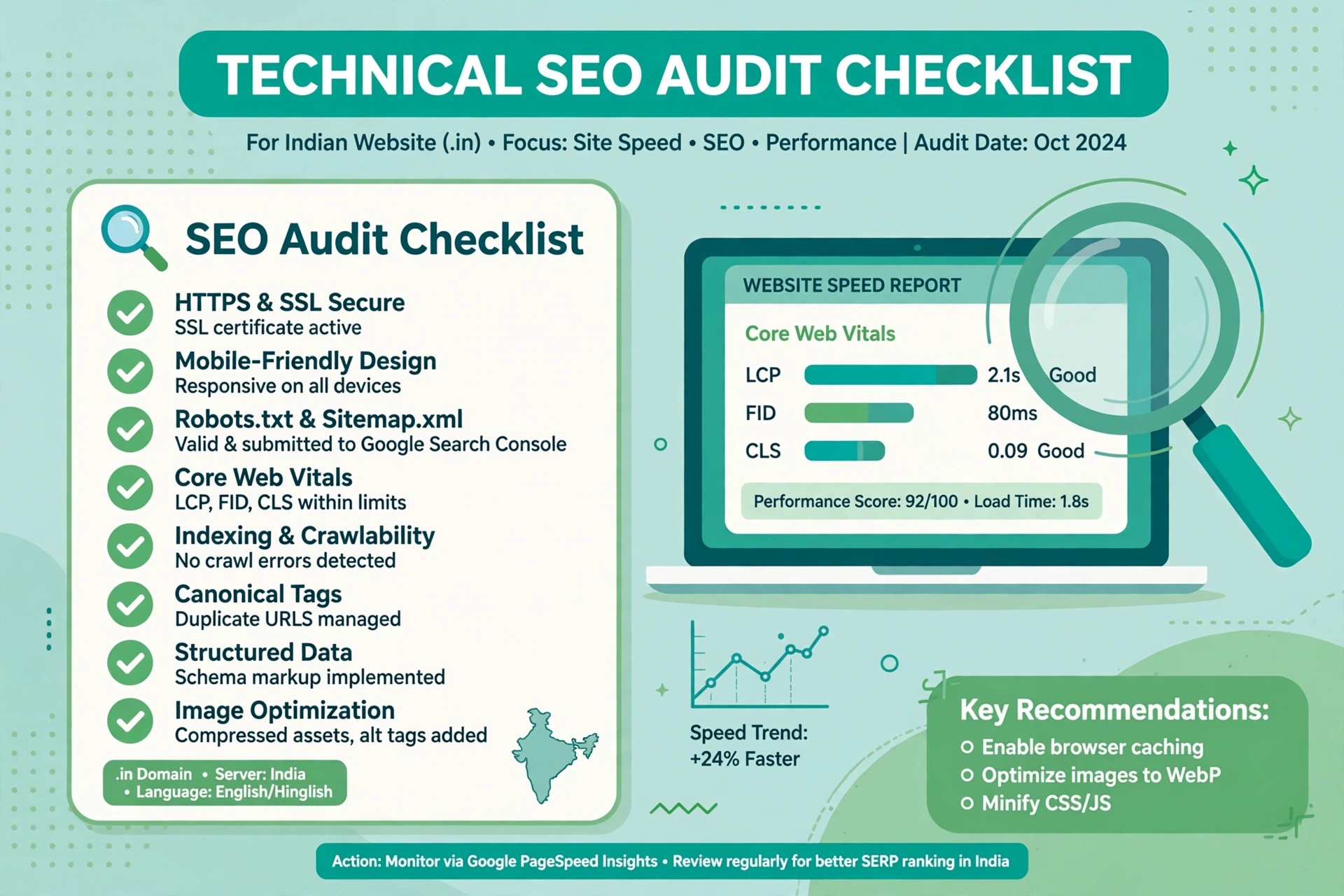
A beautiful website means very little if Google cannot crawl it or load it quickly on a phone in Indore. A technical SEO audit finds hidden problems before they cost rankings, traffic, and customers. India adds its own challenges: most visitors use phones on 4G, and hosting is often shared and far away. This guide gives you that checklist for Indian websites in 2026.
What Is a Technical SEO Audit?
A technical SEO audit is a systematic check of how search engines crawl, index, render, and rank your website. It is about the foundation underneath your content, not keywords or writing. A good audit answers four questions: can Google find every important page, understand it, load it fast on a real Indian mobile connection, and is it safe and easy to use?
Why Technical SEO Matters More in India
India is a mobile first market. More than 80 percent of internet users in India access the web on a phone, many on budget Android devices with limited memory. A page that loads in two seconds on a laptop in Bengaluru can take eight seconds on an old phone in a small town. 4G speeds also drop during peak hours, inside buildings, and on trains. Indian sites face structural problems too: shared hosting on US or Singapore servers, multilingual pages without language tags, and filters that create thousands of URLs.
Free Tools You Need Before You Start
You do not need a paid subscription. These free tools cover almost everything in this checklist.
- Google Search Console: indexation, crawl errors, Core Web Vitals, and mobile usability.
- Google PageSpeed Insights: speed and Core Web Vitals for mobile and desktop.
- Screaming Frog free version: crawls 500 URLs for broken links and duplicates.
- Ahrefs Webmaster Tools: free site audit and backlink data.
- Bing Webmaster Tools: a second check on crawl errors.
- Google Rich Results Test: checks structured data validity.
Set up Search Console and Bing Webmaster Tools before the audit day.
The One Day Audit Workflow
You can finish a full audit of a small or medium website in one day. Start the morning with Google Search Console: check the Pages report, note every error, then check Core Web Vitals and mobile usability. Next, run a Screaming Frog crawl and export broken links, redirect chains, missing meta descriptions, and duplicate titles. Then test speed and mobile rendering on your ten most important pages. In the afternoon, check structured data, internal links, and language settings, then prioritise them using the order below. End the day with a written fix list, each item with an owner and deadline.
1. Crawling and Indexation
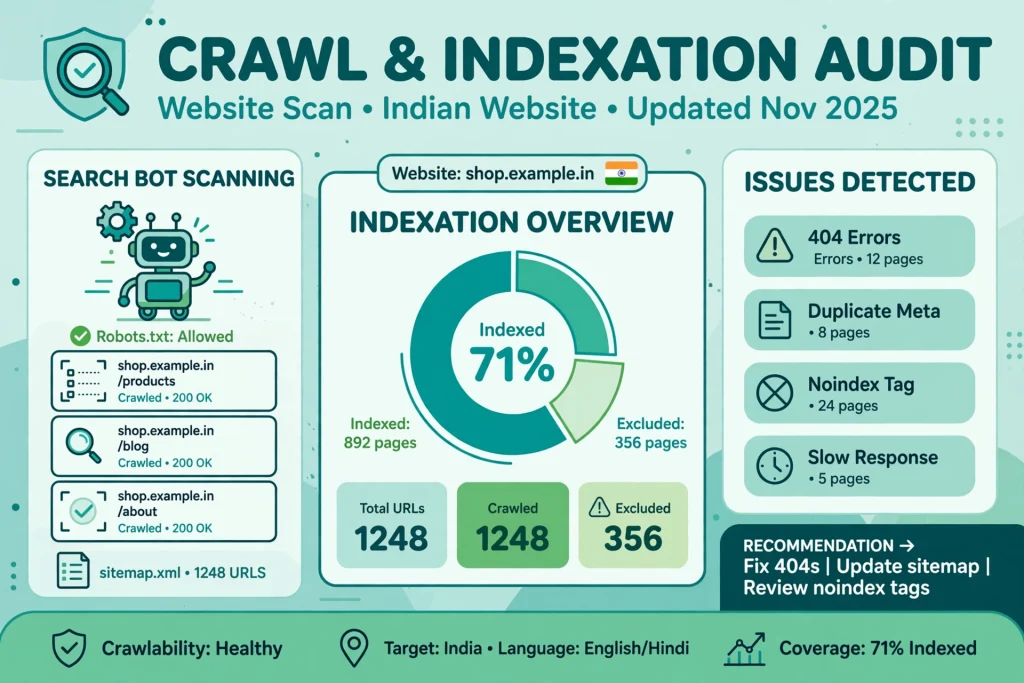
Search engines can only rank pages they can find, so start here. In Search Console, open the Pages report and compare the indexed count with your actual page count. Common causes include robots.txt blocks, a leftover noindex tag, and pages excluded as duplicates. Check your XML sitemap too: it should list only live, indexable, canonical pages that return a 200 status code. Finally, look for crawl budget waste and orphan pages with no internal links.
2. Site Speed and Core Web Vitals on 4G
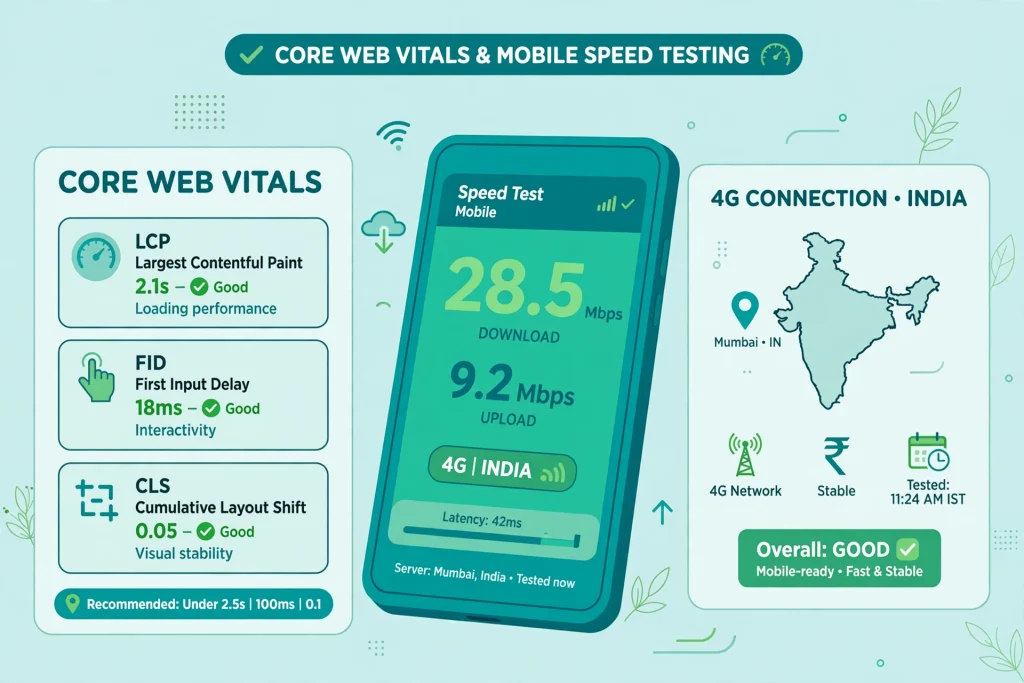
Speed is a ranking factor, and in India a conversion factor too. A visitor on a slow connection will leave a page that takes more than three seconds to load. Test key pages in PageSpeed Insights on mobile, not desktop. Note the three Core Web Vitals: Largest Contentful Paint under 2.5 seconds, Interaction to Next Paint under 200 milliseconds, and Cumulative Layout Shift under 0.1. The usual culprits are uncompressed images, too many plugins, render blocking scripts, and no caching. Compress images, serve WebP, and remove unused plugins.
Read our guide to zero click searches in India: a fast page that answers the query directly is far more likely to win the visible result.
3. Mobile Friendliness
Google indexes the mobile version of your site first, so a broken mobile version hurts rankings everywhere, including desktop. Check every key page on a real phone. Look for text that is too small to read, buttons that are too close together, content wider than the screen, and popups that cover the whole page. Keep the same content on mobile and desktop, since Google sees the mobile version and hidden content may as well not exist.
4. Hosting and CDN for Indian Visitors
A server in the US adds 200 to 300 milliseconds of delay for every request from India, and a page makes dozens of requests. Check your host location and Time to First Byte from India. WebPageTest lets you test from Mumbai. If your host has no Indian data centre, move to one that does, or add a CDN with Indian locations. Cloudflare, Bunny CDN, and Amazon CloudFront all have Indian edge locations, some with free plans. A CDN stores copies of your files close to your visitors, a high impact speed fix.
5. HTTPS, Security, and Structured Data
Every page must load over HTTPS in 2026. Browsers mark HTTP pages as not secure, and Google treats HTTPS as a ranking signal. Check for mixed content, where a secure page loads a resource over HTTP, and make sure your SSL certificate is valid and renews automatically. Structured data tells Google what your page is: an article, a product, a local business, an FAQ, or an event. It makes your page eligible for rich results, which can raise click through rates. Common gaps on Indian sites: missing LocalBusiness schema, missing Product schema with rupee prices, and missing FAQ schema. Test pages with the Rich Results Test, and never add schema for hidden content.
6. Duplicates, Canonicals, and Internal Links
Duplicate content is a common audit finding on Indian websites, and it is rarely caused by copying. The site itself creates many URLs for the same page: HTTP and HTTPS versions, www and non www versions, and filtered ecommerce URLs. Check canonical tags on every key page: each page needs a self referencing canonical tag pointing to its preferred URL. Internal links show Google which pages matter most, so check that every important page is reachable within three clicks from the homepage. Fix broken internal links, use descriptive anchor text, and link from high authority pages to pages that need a boost. A solid on page SEO checklist for Indian websites helps here, because technical fixes work best when the on page basics are already correct.
7. Language Settings and AI Readiness
Many Indian websites serve content in several languages, or the same English content to India, the US, and the Gulf. If you have Hindi, Tamil, Bengali, or other language versions, use hreflang tags so each version points to every other version, including itself. Search in 2026 is no longer only ten blue links: AI overviews and chat answers now summarise content and cite sources. Check that AI crawlers can access your site, since some robots.txt files and firewalls block them by default. Check that your content is machine readable: clear headings, short paragraphs, lists, and FAQ schema. Our analysis of Perplexity SEO in India explains how AI search engines choose sources.
Common Technical Issues on Indian WordPress Sites
WordPress powers a large share of Indian business websites, with the same problems appearing again and again. Too many plugins is the leading cause: two caching plugins, three SEO plugins, and four sliders will fight each other and slow the site down. Heavy themes are the second cause, since a multipurpose theme loads scripts you never use. Unoptimised images are the third cause: sites often upload phone photos of several megabytes each. Outdated PHP, WordPress core, and plugins cause security and speed problems, so update on staging first, test, then update live.
Fixes Ordered by Priority and Impact
An audit can produce a hundred findings, so fix them in the right order. High impact, fix this week: pages returning errors or blocked from indexing, HTTPS and mixed content problems, mobile usability errors, and failing Core Web Vitals. Medium impact, fix this month: duplicate content and canonical errors, broken internal links, missing structured data, slow server response, and orphan pages. Lower impact, fix this quarter: hreflang errors, minor image optimisation, redirect chains, and thin pages. For each fix, record the page and the problem, then recheck in Search Console.
What Hiring a Technical SEO Auditor Costs in India
Prices in India in 2026 vary by experience, site size, and depth. A freelancer with one to three years of experience charges Rs. 5,000 to Rs. 15,000 for a one time audit of a small website with under 100 pages, report only, no implementation. An experienced freelancer or small agency charges Rs. 15,000 to Rs. 40,000 for a medium website with 100 to 1,000 pages, usually including a crawl, speed analysis, fix list, and review call. A full agency audit for a large ecommerce or news site costs Rs. 40,000 to Rs. 1,50,000. Monthly retainers start at Rs. 10,000 per month for small sites. Always ask what the audit includes before you pay.
How Often Should You Audit?
A full technical audit is not a one time task. Run a full audit every six months and a lighter check every month. After any redesign, migration, hosting change, or major plugin update, audit immediately. Check Search Console weekly, watch Core Web Vitals after theme or plugin changes, and test speed after homepage updates.
Frequently Asked Questions
How long does a technical SEO audit take for a small Indian website?
A small website with under 100 pages usually takes one full working day. Implementation takes one to four weeks.
What is the difference between a technical SEO audit and an on page SEO audit?
A technical audit checks crawling, indexation, speed, mobile usability, security, and architecture. An on page audit checks titles, headings, content quality, and keyword use. Fix technical problems first, because on page work cannot rank a page Google cannot crawl or load.
Can I do a technical SEO audit myself without paid tools?
Yes, for most small and medium websites. Google Search Console, PageSpeed Insights, Screaming Frog free version, and Ahrefs Webmaster Tools cover crawling, indexation, speed, and site health at no cost. Paid tools help with large sites, but they are not required.
How much does a technical SEO audit cost in India in 2026?
A freelancer audit for a small site costs roughly Rs. 5,000 to Rs. 15,000. A medium site audit costs roughly Rs. 15,000 to Rs. 40,000. A large ecommerce or news site audit costs Rs. 40,000 to Rs. 1,50,000 or more.
Why is my Indian website slow even though my hosting plan is expensive?
The usual reasons are a faraway server, no CDN, uncompressed images, too many plugins, and render blocking scripts. An expensive US shared plan can still be slower for Indian visitors than a cheaper plan with an Indian data centre and a CDN.
Does technical SEO really affect rankings, or is content more important?
Both matter. Content earns rankings, but technical SEO decides whether Google can find, load, and trust that content. A technically broken site can have excellent articles that never rank. Fix the foundation first, then invest in content.
Should I block AI crawlers from my website?
Only if you have a deliberate reason, such as protecting paid or private content. For most public sites, allowing AI crawlers increases the chance your content is cited in AI answers. Review your robots.txt file first.
Conclusion
A technical SEO audit is basic maintenance for any Indian website that wants to be found on Google in 2026, not a luxury for large companies. Your visitors are on phones, on 4G, and in a hurry. Start with Search Console, crawl the site, test speed on mobile, check hosting and security, fix duplicates and broken links, and add structured data. Order the fixes by impact, verify each one, and repeat the audit every six months.
