

Introduction
AI video generation became a daily production tool in India during 2026. Creators, startups, educators and marketing teams now use text to video tools to make reels, advertisements, product demos and training videos in minutes. The question is which tool fits your budget, language and use case.
This guide compares seven leading tools available to Indian users in 2026: Google Veo 3.1, Kling, Runway, Hailuo, invideo AI, HeyGen and Canva AI video. We compare them on quality, price in rupees, free plan limits, UPI payment, Indian language support and ease of use, and we explain the AI labelling rules for 2026. New to AI content creation? Start with our guide to the best AI image generators in India for 2026.
How We Compared These 7 Tools
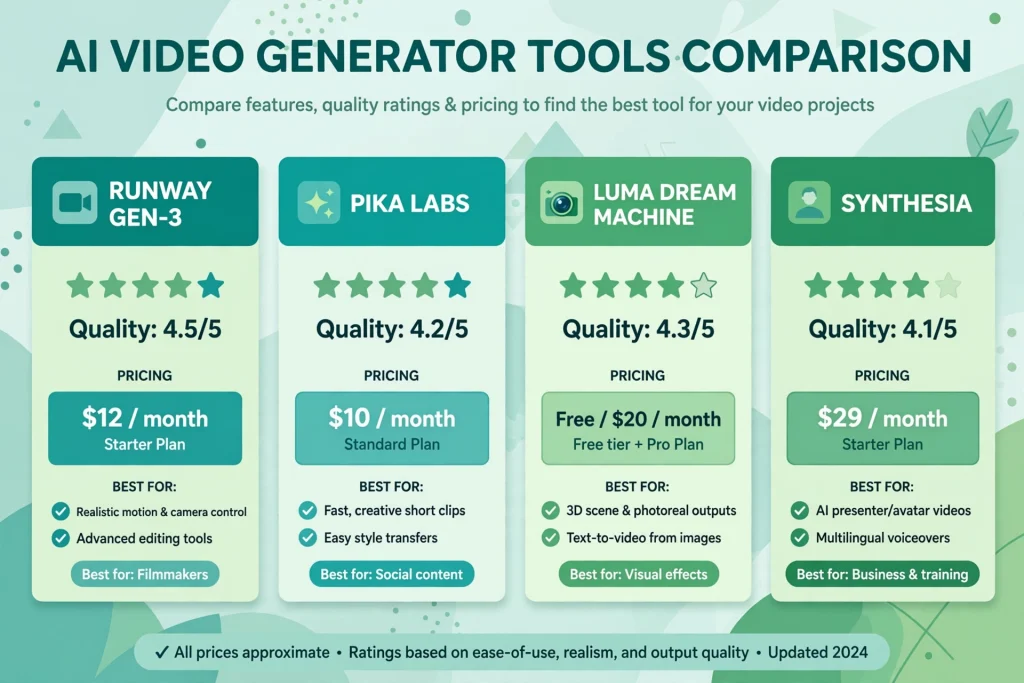
Every tool was judged on video quality, price in rupees, free plan limits, UPI payment, Indian language support, ease of use, and best use case. Rupee figures are approximate 2026 conversions.
Google Veo 3.1: The Quality Leader
Google Veo 3.1 is the quality benchmark in 2026. It produces cinematic, realistic video from text prompts, with native audio, dialogue and sound effects. Motion looks natural and faces stay consistent.
In India, Google AI Pro costs around Rs. 1,950 per month, and Google AI Ultra around Rs. 24,500 per month. Free access is limited to short trial credits, and free clips are watermarked. Hindi dialogue works well, and UPI payment is available. Best for high end advertisements and brand films.
Kling: Best Value for Realistic Video
Kling, from Kuaishou, is the value champion of 2026. Its quality is close to Veo 3.1 for everyday scenes, and it handles motion better than most cheaper rivals.
The free plan gives a small number of daily credits, enough to test the tool properly. Paid plans start at roughly Rs. 800 per month, rising to around Rs. 4,500 per month for professional tiers. The per clip cost is far lower than Veo 3.1, which is why many Indian freelancers use Kling daily. UPI is not always accepted, so an international card is often needed. Hindi support is limited, so prompt in English.
Runway: Best for Creative Control
Runway is the creator’s toolkit. Its Gen-4 model produces strong text to video and image to video, with camera controls, motion brush and video to video restyling.
The free plan includes a small credit allowance, with watermarked exports and limited resolution. Paid plans start at around Rs. 1,000 per month, and around Rs. 2,400 per month for the pro plan with 4K upscaling. Runway bills in dollars and does not support UPI directly. Best for filmmakers and agencies who need precise control.
Hailuo: Best for Short Social Clips
Hailuo, also known as MiniMax video, is built for speed and social content. It generates short clips of 6 to 10 seconds for reels, shorts and product teasers. Its motion is lively, and its interface suits a complete beginner.
The free plan is generous, with daily credits for several short clips. Paid plans start at roughly Rs. 800 per month, rising to around Rs. 3,500 per month. The per clip cost is among the lowest here. Payment is usually by international card, and UPI support is not standard. Best for Instagram reels and YouTube Shorts on a tight budget.
invideo AI: Best for Faceless YouTube and Bulk Video
invideo AI takes a different approach. You type a topic, and it writes the script, picks the visuals, adds the voiceover and edits the video for you. It suits faceless YouTube channels and bulk content.
The free plan lets you create a few videos per week with a watermark. Paid plans start at around Rs. 1,600 per month, and around Rs. 4,000 per month for the max plan. The per video cost is low when you produce in bulk. Hindi voiceover is available, a real advantage for a Hindi speaking audience. Best for faceless YouTube channels and affiliate marketers.
HeyGen: Best for Training Videos and Avatars
HeyGen is the leader for AI avatar video. You pick a realistic avatar, type a script, and the avatar speaks it with natural lip sync and gestures. It also offers AI dubbing and translation, including Hindi.
The free plan includes a few minutes of video per month with a watermark. Paid plans start at around Rs. 2,400 per month for the creator plan, and around Rs. 7,000 per month for the team plan. The cost per minute is higher, but you are paying for a presenter, a studio and a voice artist in one tool. UPI is not a standard option. Best for training videos and onboarding.
Canva AI Video: Best for Beginners and Small Business
Canva AI video is the easiest tool on this list to start with. It sits inside Canva, so you can generate a clip, add text and branding, and publish a reel or an ad without leaving the app.
The free Canva plan includes limited AI video credits. Canva Pro costs around Rs. 500 per month in India when billed yearly, the cheapest paid option here, and it includes the full design suite. UPI payment is available, and Hindi text and fonts are well supported. Canva will not replace Veo 3.1 for cinematic work, but for a quick festival offer reel or product announcement, it is hard to beat. For more on India’s fast improving AI scene, read about Sarvam AI and what it means for India in 2026.
UPI Payment: Which Tools Are Easiest to Pay For in India
Several leading tools bill in dollars and do not accept UPI. UPI payment is available for Veo 3.1 and Canva Pro. Kling, Runway, Hailuo, invideo AI and HeyGen usually require an international credit or debit card. If UPI is a hard requirement, Veo 3.1 and Canva are your safest choices. If you can pay by international card, Kling gives the best quality per rupee.
Indian Language Support: Hindi and Beyond
Most AI video generators still work best with English prompts. Veo 3.1 handles Hindi dialogue well, and Canva and invideo AI support Hindi text and voiceover. HeyGen offers Hindi avatars and dubbing, which is useful for training content.
For other Indian languages such as Tamil, Telugu, Bengali and Marathi, support is thinner. Generate the video with an English prompt, then add the Indian language voiceover, subtitles or on screen text in your editor. Tools such as Gemini 4 Hydrogen and its India launch details show how fast Google’s India focused AI features are improving.
AI Labelling Rules in India: What Creators Must Do in 2026
India’s IT Rules require AI generated content to be labelled, and the rules notified in February 2026 made this clearer. The core requirement is simple: if a video is AI generated, the viewer must be able to tell.
- Add a visible label such as “AI generated” on the video or in the first line of the caption.
- Use the platform’s own AI label tool on YouTube, Instagram and Facebook.
- Do not use AI video to mislead viewers or impersonate a real person without consent.
- For advertisements, disclose the AI use clearly.
- Keep a record of your prompts, so you can show how a video was made.
These rules apply to every tool in this guide, and platforms are restricting unlabelled AI content more aggressively in 2026.
Which Tool Fits Which Job
The right tool depends on the job, not on the hype. For Instagram reels and YouTube Shorts, use Hailuo or Canva AI video. For advertisements and brand films, use Google Veo 3.1, with Kling as the budget alternative. For product demos, use Runway for control or invideo AI for speed. For training videos and onboarding, use HeyGen, because avatars and Hindi dubbing save hours of recording. For faceless YouTube and bulk content, use invideo AI. For small business social media, use Canva AI video. For freelance client work, use Kling for everyday jobs and Veo 3.1 for premium clients.
Many creators use two tools together, for example Kling for most clips and Veo 3.1 for the hero shot.
Free Plan Limits Compared
Free plans suit testing, not regular client work. Free exports usually carry a watermark, and daily limits are low. Veo 3.1 offers limited trial credits. Kling and Hailuo offer daily credits, with Hailuo the more generous. Runway offers a small credit allowance. invideo AI allows a few videos per week. HeyGen allows a few minutes per month. Canva offers limited AI credits.
Verdict Table: All 7 Tools at a Glance
| Tool | Best For | Starting Price | Free Plan | UPI | Hindi |
|---|---|---|---|---|---|
| Google Veo 3.1 | Advertisements, cinematic video | Rs. 1,950 per month | Limited trial credits | Yes | Good |
| Kling | Realistic video at low cost | Rs. 800 per month | Daily credits | Usually no | Limited |
| Runway | Creative control, direction | Rs. 1,000 per month | Small credit allowance | Usually no | Basic |
| Hailuo | Short social clips, reels | Rs. 800 per month | Generous daily credits | Usually no | Limited |
| invideo AI | Faceless YouTube, bulk video | Rs. 1,600 per month | Few videos per week | Varies | Good |
| HeyGen | Training videos, avatars | Rs. 2,400 per month | Few minutes per month | Usually no | Good |
| Canva AI video | Beginners, small business | Rs. 500 per month | Limited credits | Yes | Good |
Prices are approximate 2026 figures.
Frequently Asked Questions
Which is the best AI video generator in India in 2026?
Google Veo 3.1 offers the best overall video quality in India in 2026. Kling offers the best value, with quality close to Veo 3.1 at a much lower per clip price. For beginners, Canva AI video is the easiest and cheapest way to start.
Can I pay for AI video generators with UPI in India?
Yes, for some tools. Google Veo 3.1, through Google subscriptions, and Canva Pro both support UPI payment in India. Kling, Runway, Hailuo, invideo AI and HeyGen usually require an international credit or debit card.
Which AI video generator is best for Hindi videos?
invideo AI and HeyGen are the strongest choices for Hindi content, because they offer Hindi voiceover and dubbing. Veo 3.1 also handles Hindi dialogue well.
Is there a good free AI video generator in India?
Hailuo and Kling offer the most useful free plans in 2026, with daily credits for several short clips. Free exports usually carry a watermark, so free plans suit testing rather than regular client work.
Do I need to label AI generated videos in India?
Yes. Under India’s IT Rules, including the AI labelling requirements notified in February 2026, AI generated videos must be clearly labelled. Add a visible label on the video and use the platform’s AI label tool.
Which AI video generator is best for Instagram reels?
Hailuo is the best choice for quick reels, because it is fast, cheap and built for short clips. Canva AI video is the best choice for small businesses, because it combines video generation with design and branding.
Can AI video generators replace a video editor?
Not completely. AI video generators are excellent for creating clips and first versions, but a human editor is still needed for storytelling, pacing and brand consistency.
Conclusion
The best AI video generator in India in 2026 depends on your job, your budget and your audience. Veo 3.1 leads on quality, Kling on value, Runway on creative control, Hailuo on speed for social clips, invideo AI on bulk production, HeyGen on training videos, and Canva on ease of use.
Start with a free plan, test it on real work, and check payment and Hindi support before you pay. Label your AI videos clearly under India’s 2026 rules.
