

Introduction
A point of sale, or POS, system is the software that runs the billing counter of a shop, a restaurant, or a small retail store. It prints bills, tracks stock, accepts UPI and card payments, and keeps records that used to live in paper registers. For Indian small businesses in 2026, the right POS software saves hours every day and removes the billing mistakes that quietly eat profits.
The choice is not simple, because India has dozens of POS options, from free mobile apps to full counter systems with hardware. A kirana store needs something very different from a restaurant or a supermarket chain, and a tool that is perfect for one format can be a poor fit for another. This guide compares the best POS software in India for small businesses, with honest pricing, GST and offline billing detail, and a clear recommendation for each type of shop.
What POS Software Does for a Small Business
At its simplest, POS software replaces the manual bill book. The shopkeeper searches for a product or scans its barcode, the software adds GST automatically, the customer pays by UPI, card, or cash, and the bill prints or goes to WhatsApp. Behind that simple flow, good POS software also updates stock levels, records the sale in your accounts, and shows daily reports on what sold and what is running low.
For a small business, that adds up to real savings. Billing becomes faster, which matters during rush hours. Stock records stay accurate, so you stop ordering items you already have and stop running out of items that sell. GST returns become easier, because every sale is already recorded with the right tax rate. And the owner can check sales from a phone, even while sitting at home.
How to Choose POS Software in India
Before comparing brand names, decide what your business actually needs. The checklist below covers the points that matter most for Indian small businesses.
- GST billing: the software must create GST invoices, support e-invoicing where needed, and export data for returns. This is non-negotiable for any registered business.
- Offline billing: internet connections fail, especially in smaller towns. A POS that stops working without internet will stop your counter too, so test offline mode in the demo.
- Inventory management: barcode scanning, low stock alerts, and purchase tracking matter far more than fancy dashboards for a small shop.
- UPI and payment options: the software should record UPI, card, and cash payments cleanly, and reconcile them at the end of the day.
- Hardware fit: some tools run on a phone, others need a counter machine, a barcode scanner, and a printer. Check what you already own before you pay.
- Multi-store support: if you plan a second outlet, choose software that handles it now, because switching later is painful.
- Pricing: compare the real annual cost, including hardware, add-ons, and renewal prices, not just the first-year offer.
- Support in your language: billing problems happen during business hours, so local support and training matter more than a long feature list.
If your business also needs accounting and inventory together, read our guide to GST Billing Software for Indian Small Businesses before you decide.
Best POS Software in India: Quick Comparison
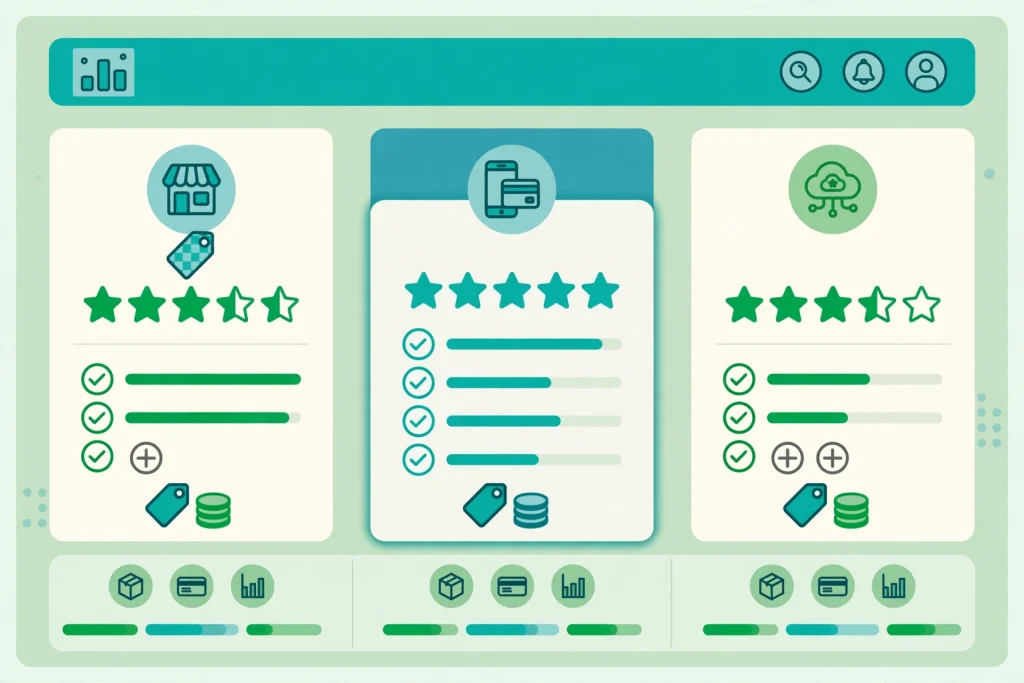
The table below summarises the leading options for small businesses. Prices are approximate and were correct at the time of writing, so check the vendor’s own website before you buy, because plans change.
- Vyapar: best for single small shops, free plan available, paid plans from about Rs 4,000 per year, mobile first, offline billing, GST invoicing.
- Petpooja Invoice: best for GST billing plus inventory, flat annual fee, strong for retail billing with Tally sync.
- Zoho POS: best for growing brands, from about Rs 10,000 per year, multi-store support and deep analytics.
- GoFrugal: best for supermarkets and multi-store chains, demo-based pricing, strong inventory and purchase workflows.
- Marg Retail POS: best for pharma and distributors, from about Rs 7,200 per year, GST-ready accounting and inventory.
- myBillBook: best for mobile-first users, from about Rs 1,500 per year, WhatsApp bill sharing and simple inventory.
- TallyPrime with Shoper: best for businesses already using Tally, from about Rs 18,000 per year, deep accounting integration.
- Shopify POS: best for shops that sell online and offline together, monthly pricing, strong for omnichannel retail.
Vyapar: Best for Single Small Shops
Vyapar is the billing app most small shopkeepers in tier 2 and tier 3 cities already know. It runs on a phone, works offline, creates GST invoices, and manages basic stock. The free plan covers simple billing, while paid plans start from about Rs 4,000 per year and unlock e-invoicing and detailed reports.
Vyapar suits a kirana store, a single-outlet shop, or an independent trader who needs basic billing without complexity. Its weakness appears the moment you open a second outlet, because there is no multi-store support, and the free plan locks away the features a growing shop needs. Most shop owners outgrow free tools within six months, so treat Vyapar as a strong starting point rather than a permanent home if you plan to expand.
Petpooja Invoice: Best for GST Billing and Inventory
Petpooja Invoice is built for retailers who want GST billing and inventory in one tool at a flat annual fee. It handles billing, stock tracking, and Tally sync, which makes it a good fit for shops that already keep accounts in Tally and want the counter and the books to agree.
The flat fee is its main attraction: you pay once a year and get the full retail billing feature set, rather than paying per outlet or per feature. It suits single and multi-outlet retail shops, especially in apparel, electronics, and general stores. Restaurants looking for table management and kitchen display features should look at Petpooja’s restaurant product instead, because the retail version focuses on shop billing.
Zoho POS: Best for Growing Brands
Zoho POS is the retail billing product from Zoho, and it fits small businesses that are growing into brands. It offers multi-store billing, inventory that syncs across branches, and analytics that show which products and outlets perform best. Pricing starts from about Rs 10,000 per year.
The strength of Zoho POS is the wider Zoho ecosystem. If you already use Zoho Books for accounting or Zoho Inventory for stock, the POS connects with them and removes double data entry. The trade-off is cost and complexity: a tiny single counter shop will find it more than it needs, while a growing chain will find it hard to outgrow.
GoFrugal: Best for Supermarkets and Chains
GoFrugal is a long-standing Indian retail software company, and its POS suits supermarkets, grocery chains, and multi-store operations. It handles large product catalogues, purchase orders, supplier management, and billing across many counters from one dashboard. Pricing is quoted after a demo, because it depends on outlets and features.
A supermarket with 50,000 products needs software that stays fast under that load, and GoFrugal is built for exactly that scale. A single small shop would find it heavy and expensive, so this is a tool to choose when your format and your ambitions match its scale, not before.
Marg Retail POS: Best for Pharma and Distributors
Marg is strong in pharma distribution and retail, where batch numbers, expiry dates, and distributor billing matter more than in general retail. It combines GST-ready accounting with inventory, and pricing starts from about Rs 7,200 per year. Chemists and distributors across India have used Marg for years, which means support staff understand the specific billing rules of those trades.
If you run a medical store or a distribution business, Marg deserves a place on your shortlist. For a general kirana or apparel shop, the other tools on this list will usually fit better.
myBillBook: Best for Mobile-First Users
myBillBook is a mobile-first billing app from about Rs 1,500 per year, and it suits shop owners who run everything from a phone. Bills can be shared directly on WhatsApp, inventory stays simple, and the interface is designed for owners rather than accountants. It is a good choice for home-based sellers, small traders, and shops that want clean mobile billing at the lowest cost.
The limits are the same as any mobile-first tool: it handles simple retail well, but a business with multiple counters, complex inventory, or heavy reporting needs will outgrow it. Start here if your budget is tight and your billing is simple.
TallyPrime and Shopify POS: Two Special Cases
Tally Shoper 9, now part of the TallyPrime family, suits businesses that already run their accounts in Tally. It connects billing at the counter directly to Tally accounting, so the books update with every sale. Silver plans start from about Rs 18,000 per year, which makes it a premium choice justified mainly by the accounting integration.
Shopify POS suits shops that sell both online and offline. If you already sell through a Shopify store, the POS keeps online and offline stock in one place and gives one view of every customer. It is priced monthly and in dollars, so compare the full annual cost in rupees before you commit.
Which POS Software Should You Pick?
The right choice depends on your format, so match the tool to your shop rather than picking the most popular name.
- Kirana or single small shop: start with Vyapar, free to try, and move to Petpooja Invoice when you need stronger inventory.
- Restaurant or cafe: Petpooja restaurant billing, or a dedicated restaurant POS with kitchen display and table management.
- Supermarket or chain: GoFrugal, or Zoho POS if you want the wider Zoho ecosystem.
- Medical store or distributor: Marg Retail POS, for batch and expiry handling.
- Mobile-first small trader: myBillBook, the lowest cost way to bill properly.
- Online plus offline shop: Shopify POS, for one stock view across channels.
- Business already on Tally: Tally Shoper, so billing and accounts stay in sync.
Whatever you choose, take the free trial or demo first, and test offline billing, GST invoice printing, and a full day of real transactions before you pay. A POS that looks good in a sales demo can still fail at your counter during rush hour.
Hardware, Setup, and Hidden Costs
Software is only half the cost. A counter setup usually needs a billing machine or tablet, a barcode scanner, a receipt printer, and a cash drawer, which together cost roughly Rs 15,000 to Rs 40,000 depending on quality. Mobile apps avoid most of this, because a phone and a small Bluetooth printer can be enough to start.
Watch for hidden costs: per-outlet charges, fees for extra users, paid add-ons for e-invoicing or reports, and renewal prices that rise after the first year. Ask the vendor for the full second-year cost in writing before you buy, and check whether training and data migration are included. For a broader view of business software costs, see our guide to Best Inventory Management Software for Indian Small Businesses.
Mistakes to Avoid When Buying POS Software
- Buying on price alone: the cheapest tool often lacks the inventory or GST features you need within months.
- Skipping the offline test: a POS that needs constant internet will fail you during an outage.
- Ignoring GST and e-invoicing: if the software cannot produce compliant invoices, your accountant will pay for the gap.
- Choosing a tool that cannot grow: switching POS systems means retraining staff and migrating stock data, so plan for your second outlet now.
- Not training staff: even the best software fails when the person at the counter has not practised with it. Budget a day for training before you go live.
Frequently Asked Questions
Which is the best POS software for small businesses in India?
There is no single best option, because it depends on your format. Vyapar is the best starting point for a small single shop, Petpooja Invoice is best for GST billing with inventory, Zoho POS is best for growing brands, and GoFrugal is best for supermarkets and chains.
How much does POS software cost in India?
Simple mobile billing apps start free or at about Rs 1,500 to Rs 4,000 per year. Full counter POS software usually costs Rs 7,000 to Rs 18,000 per year, plus Rs 15,000 to Rs 40,000 for hardware such as a scanner and printer. Always confirm the second-year renewal price before buying.
Does POS software work without internet in India?
Good POS software for Indian shops offers offline billing, which lets you keep billing during an internet outage and syncs sales once the connection returns. Always test offline mode in the demo, because not every cloud POS supports it properly.
Is GST billing included in POS software?
Most Indian POS tools include GST invoicing, but the depth varies. Check that the software supports the GST rates your products need, e-invoicing where applicable, and exports that your accountant can use for returns. Our guide to Best Invoicing Software for Indian Small Businesses covers billing features in more detail.
Can I use POS software on my phone?
Yes, mobile-first tools such as Vyapar and myBillBook run fully on a phone, and most cloud POS systems offer a phone app for owners to check sales. Counter hardware is still better for high-volume billing, but a phone is enough to start a small shop.
Conclusion
The best POS software in India for your small business is the one that matches your format, handles GST properly, keeps billing during internet outages, and grows with you. Start with a clear list of what your counter actually needs, shortlist two or three tools from this guide, and test each one with a real day of transactions before you pay.
For most small shops, Vyapar or Petpooja Invoice is the sensible starting point. For growing brands and chains, Zoho POS or GoFrugal is the better investment. Whichever you choose, remember that the software is only as good as the data in it: keep stock records accurate, train your staff, and review your sales reports every week, and the POS will pay for itself many times over.

1 Comment
Pingback: Best UPI Payment Gateway for Small Business India 2026