

A customer in Pune opens ChatGPT and asks for the best laptop repair shop nearby. Another in Jaipur asks where to buy handmade juttis online. A third in Kochi asks for a reliable CA firm for GST filing. In 2026, these questions are no longer typed only into Google. Millions of Indians now ask an AI assistant first, and the businesses that appear in the answer win the enquiry.
OpenAI launched Businesses in ChatGPT in November 2026. It lets businesses claim a profile inside ChatGPT so that the assistant can recommend them, show their details, and in some cases let customers buy directly. For Indian businesses, this is the biggest new discovery channel since Google Business Profile. It is also new, uneven, and full of waitlists. This guide explains what Businesses in ChatGPT is, how to claim your listing, what to do while you wait, and how to measure whether it brings you customers.
What Is Businesses in ChatGPT
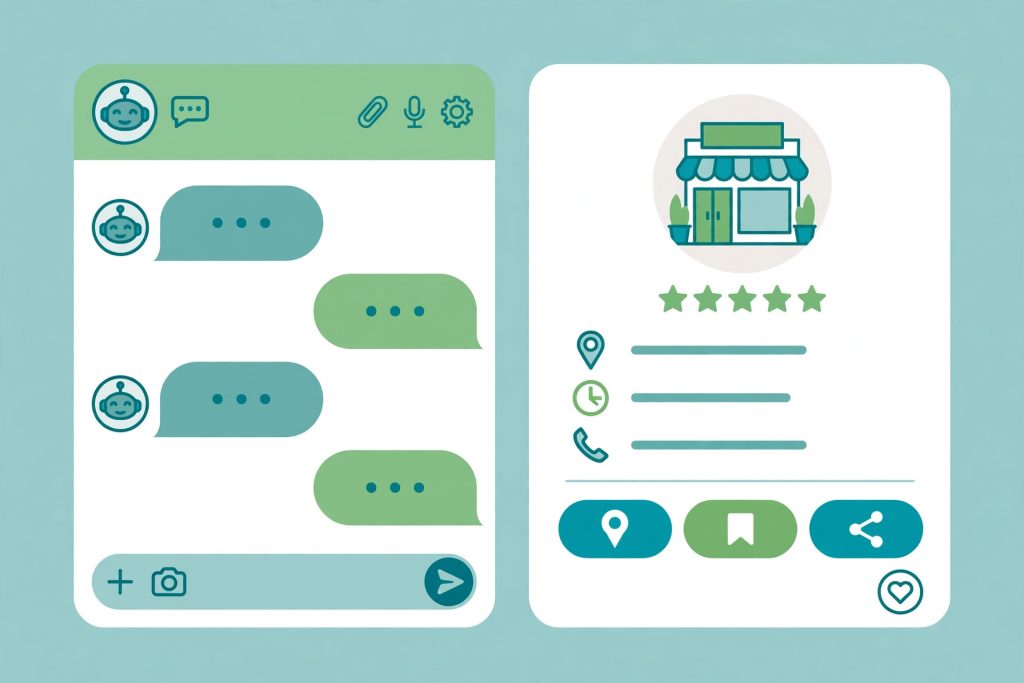
Businesses in ChatGPT is a business directory built inside ChatGPT. When a user asks for a product or a service, ChatGPT can show business profiles with a name, description, location, contact details, products, and reviews. The feature sits alongside the normal chat answer, so a user can move from a question to a business in one step.
It works differently from Google Search. On Google, your website competes for a ranking position. Inside ChatGPT, the assistant chooses which businesses to mention based on the business profile, the relevance of its products or services, and the quality of the information it can verify about the business. Claiming a profile does not guarantee that ChatGPT will recommend you. It only makes you eligible to appear.
For Indian businesses, the rollout is gradual. Ecommerce and product-based businesses are being onboarded first. Many service businesses still see a “coming soon” message when they try to claim. That does not mean you should ignore it. The businesses that prepare early, with clean listings and consistent details across the web, will be ready the moment their category opens.
Why This Matters for Indian Businesses
India is one of ChatGPT’s largest markets, and Indian users are among the fastest to adopt AI for shopping and local decisions. Three shifts make a ChatGPT listing worth your time.
First, product discovery is moving into chat. People ask for recommendations in plain language, compare options inside the conversation, and expect a shortlist, not ten blue links. A business that ChatGPT can describe clearly has an advantage over one it knows nothing about.
Second, trust signals now come from structured data. ChatGPT reads your website, your business profile, your product feed, and mentions of your brand across the web. Businesses with complete, consistent information are easier for the assistant to recommend with confidence.
Third, the early movers get the learning advantage. The first Indian sellers to claim profiles, connect a product catalogue, and watch their insights will understand what ChatGPT rewards long before their competitors start. If you use AI tools in your business already, this is a natural next step. Our guide on how to use Google Gemini for business in India explains how Indian teams are already putting AI assistants to work.
How to Claim Your Business on ChatGPT: Step by Step
The claim process is short, but Indian businesses often hit snags with name and GST details. Follow these steps and keep your documents ready.
Step 1: Search for your business inside ChatGPT
Open ChatGPT and search for your business by name, or ask it to find businesses like yours in your city. If a profile already exists for your business, ChatGPT will show it. Many businesses will find that a basic profile has been created automatically from public information.
Step 2: Start the claim flow
On the business profile, look for the claim or “This is my business” option. You will be asked to create or sign in to an OpenAI account using a business email address. Use the same email domain as your website, not a personal Gmail address, because it helps verify ownership.
Step 3: Verify that you own the business
OpenAI asks for proof of ownership. This usually means verifying your business email, your website domain, or your presence on a connected platform such as Shopify. Keep your GST certificate handy. Reports from Indian businesses that have tried the process show that a mismatch between your GST registered name and your trading name is one of the most common reasons a claim gets delayed. Make sure the name you submit matches your GST certificate and your website exactly.
Step 4: Check your Persona ID and profile details
After verification, check the profile details carefully. One useful check is the Persona ID, the identifier OpenAI assigns to your business inside its system. Note it down, because support requests about your listing go faster when you can quote it. Correct your business name, category, address, phone number, website, and opening hours. These details must match your Google Business Profile and your website word for word. Even small differences, such as “Road” in one place and “Rd.” in another, can confuse the assistant.
Step 5: Add products or services
If you sell products, connect your product catalogue. Shopify stores currently have the smoothest path, because OpenAI has built a direct connection. Other platforms can submit a product feed. If you are a service business, add a clear list of services with prices in rupees where possible. A vague profile that says “we do everything” is far less likely to be recommended than one that lists five specific services with prices.
Step 6: Publish and monitor
Once your profile is live, do not assume the work is done. Check how your business appears when you ask ChatGPT about your category in your city. Try different phrasings, in English and in Hinglish, because Indian users ask questions in both. Note what the assistant says about you, and fix anything that is wrong or out of date.
What to Do If You Land on the Waitlist
Most Indian businesses that try to claim a profile right now will land on a waitlist, especially service businesses. This is normal, and it is not a rejection. Here is how to use the waiting time well.
First, fix your listing consistency. Make sure your business name, address, and phone number are identical on your website, your Google Business Profile, JustDial, IndiaMART, and your social profiles. ChatGPT cross-checks these sources, and consistent details build the trust that gets you recommended. Our guide to Google Business Profile optimisation for Indian businesses walks through this process in detail.
Second, publish answer-first pages on your website. ChatGPT recommends businesses it can describe confidently. A page that clearly answers “How much does home deep cleaning cost in Pune?” with a price range, areas served, and booking steps is far more useful to the assistant than a generic services page. This is the same principle behind AI search optimisation, which we covered in our guide to AI search optimisation for Indian websites.
Third, add structured data to your website. LocalBusiness schema, Product schema, and FAQ schema help AI systems read your details correctly. If you use WordPress, a schema plugin can add this without coding.
Fourth, gather genuine reviews. ChatGPT weighs what customers say about you. Ask happy customers to review you on Google, and make sure those reviews mention the service they bought and the city they are in. Specific reviews help the assistant match you to specific questions.
Which Indian Businesses Benefit Most
Not every business gains equally from a ChatGPT listing right now. Use this table to judge where you stand.
| Business type | Status in late 2026 | What to do now |
|---|---|---|
| Ecommerce and D2C brands | Best placed, especially on Shopify | Claim, connect your product feed, check prices in rupees. |
| Local product shops | Good, if products are listed online | Build a simple catalogue page with prices. |
| Restaurants and cafes | Growing, menu and location matter | Keep your menu, timings, and location updated everywhere. |
| Service businesses (salons, repair, cleaning) | Often waitlisted or “coming soon” | Fix listings, publish price and service pages, collect reviews. |
| Doctors, clinics, and lawyers | Slowest, trust and verification matter most | Focus on your website and Google profile first. |
| B2B and niche manufacturers | Limited, buyers ask very specific questions | Publish detailed product and capability pages. |
If you are in a slower category, the waitlist period is still useful. The groundwork you do now is exactly what ChatGPT will read when your category opens.
Product Feeds: What to Prepare
A product feed is a file that lists your products with their names, prices, images, descriptions, and stock status. If you sell online, preparing a clean feed now will save you days later.
Keep these points in mind:
- Use Indian rupees for all prices, and keep them updated. Out-of-date prices are one of the fastest ways to lose a recommendation.
- Write product titles the way customers search, not the way your supplier labels them. “Men’s cotton kurta, white, size M” beats “KRT-WHT-001”.
- Add clear product images with descriptive file names and alt text.
- Include stock status. A product that is out of stock should not be recommended.
- If you sell on Shopify, check the built-in ChatGPT connection first, because it handles most of this automatically.
Measuring Results: ChatGPT Traffic in GA4
A listing is only useful if it brings customers, so measure it from day one. ChatGPT sends traffic to your website, and you can track it in Google Analytics 4.
In GA4, look for sessions with the source chatgpt.com. You can also add UTM parameters to the website link in your ChatGPT profile, for example utm_source=chatgpt.com, so that traffic is labelled clearly in your reports.
One warning from early users: the insights panel inside ChatGPT can show blank metrics for some businesses, and mention counts are only recorded when the user clicks a link to your business. Do not judge the channel on its own dashboard alone. Compare ChatGPT sessions in GA4 with your enquiries and sales, and give it at least a month of data before deciding whether it works for you.
ChatGPT Ads: What Indian Businesses Should Know
Alongside business profiles, OpenAI is testing ads inside ChatGPT. Indian advertisers should know three things. First, ads are in early rollout and there is no public India rate card yet, so treat any price you see quoted online with caution. Second, ads will appear alongside business recommendations, which makes a claimed and complete profile even more valuable. Third, the businesses that perform best in AI search, with clear information and good reviews, are likely to get more value from ads too, because the ad still has to convince a user who is comparing options inside a conversation.
For now, the smart move is to claim your profile and fix your information. When ads open fully in India, you will be starting from a strong base instead of from zero.
Common Mistakes to Avoid
- Claiming with a personal email address instead of a business email, which slows verification.
- Submitting a trading name that does not match your GST certificate.
- Leaving your profile half finished, with no products, services, or prices.
- Copying your Google Business Profile description word for word without adapting it to how people ask questions in chat.
- Ignoring the waitlist and doing nothing until your category opens.
- Judging the channel after one week, or trusting only the ChatGPT insights panel when its metrics are blank.
One more caution: once a profile is published, it cannot be deleted easily. Check every detail before you publish, especially your business name and category.
Frequently Asked Questions
Is Businesses in ChatGPT available in India?
Yes, the rollout includes India, but access is gradual. Product-based businesses are being onboarded first, and many service businesses currently land on a waitlist or see a “coming soon” message. Availability also varies by category and by platform.
Does claiming a business on ChatGPT cost anything?
Claiming a business profile is free. If you later run ads inside ChatGPT, those will be paid, and pricing for India has not been published yet.
Will claiming my business guarantee that ChatGPT recommends me?
No. Claiming makes you eligible to appear. ChatGPT chooses which businesses to mention based on relevance, the quality of your information, and what it can verify about you from your website and other sources.
My business is a service business and I am on the waitlist. What should I do?
Use the time to fix your listings, publish clear service and price pages on your website, add schema, and collect genuine Google reviews. This groundwork is exactly what ChatGPT reads when your category opens.
How do I track customers who come from ChatGPT?
Check GA4 for sessions with the source chatgpt.com, and add UTM parameters to the website link in your ChatGPT profile. Track enquiries and sales, not just clicks, and allow at least a month of data.
Can I delete my ChatGPT business profile after publishing it?
Reports from early users say a published profile cannot be deleted easily. Review every detail carefully before you publish, and correct mistakes as soon as you spot them.
Do I need a Shopify store to get listed?
No, but Shopify stores currently have the smoothest path because of the direct connection. Businesses on other platforms can submit a product feed or claim a profile with services listed manually.
Conclusion
Businesses in ChatGPT is a new discovery channel, not a magic tap for customers. It rewards the same things that have always mattered: accurate information, consistent listings, clear prices, genuine reviews, and a website that answers real questions. The difference is that the audience is now asking an AI assistant instead of typing keywords into a search box.
Indian businesses that claim their profile early, prepare a clean product feed, and fix their listings while they wait will be ready when their category opens. Start with the claim flow today, note your Persona ID, match your GST name exactly, and track what happens in GA4. The businesses that treat ChatGPT as a serious channel in 2026 will be the ones customers find first in 2027.

1 Comment
Pingback: Perplexity SEO in India 2026: How to Get Your Website Cited by Perplexity