


Introduction
If you have opened Meta Ads Manager recently, you will have noticed that Meta keeps pushing you towards automation. The old manual campaign setup, with its long lists of detailed targeting options, is still there, but Meta’s default path is now Advantage+. For many Indian small businesses, this shift feels confusing. Should you trust the machine with your budget, or should you keep control in your own hands?
The honest answer is that it depends on what you sell, how much you spend, and how good your creatives are. Advantage+ can lower your cost per result and save hours of manual work, but only when it is set up with the right objective, enough budget to learn, and a steady supply of varied ads. Set it up badly, and it will spend your money fast while teaching you nothing.
This guide explains how Meta Advantage+ works in India in 2026, covers all three objectives (Sales, Leads and App promotion), and gives you a practical setup walkthrough, a small-budget starter plan for under Rs 50,000 a month, GST and billing basics, and the mistakes that waste the most money. By the end, you will know exactly when to use Advantage+ and when to stay manual.
What Is Meta Advantage+?
Meta Advantage+ is Meta’s suite of AI-powered automation tools for advertising. Instead of you choosing every audience, placement and bid, you give Meta a goal, a budget and a set of creatives, and its system decides who sees which ad, where, and at what price. The most important product in the suite is the Advantage+ sales campaign, formerly called Advantage+ shopping campaigns, which Meta has been streamlining through 2025 and 2026.
The shift is not cosmetic. Meta has been retiring old manual controls step by step. From July 2026, API version 26.0 blocks edits to some old-style campaign settings, and the old existing-customer budget cap was retired for new campaigns. If you read a guide from early 2026 that still describes that budget cap as a live setting, it is out of date. Meta’s direction is clear: automation first, with human control kept for the things machines still do badly, which are the offer, the creative and the landing page.
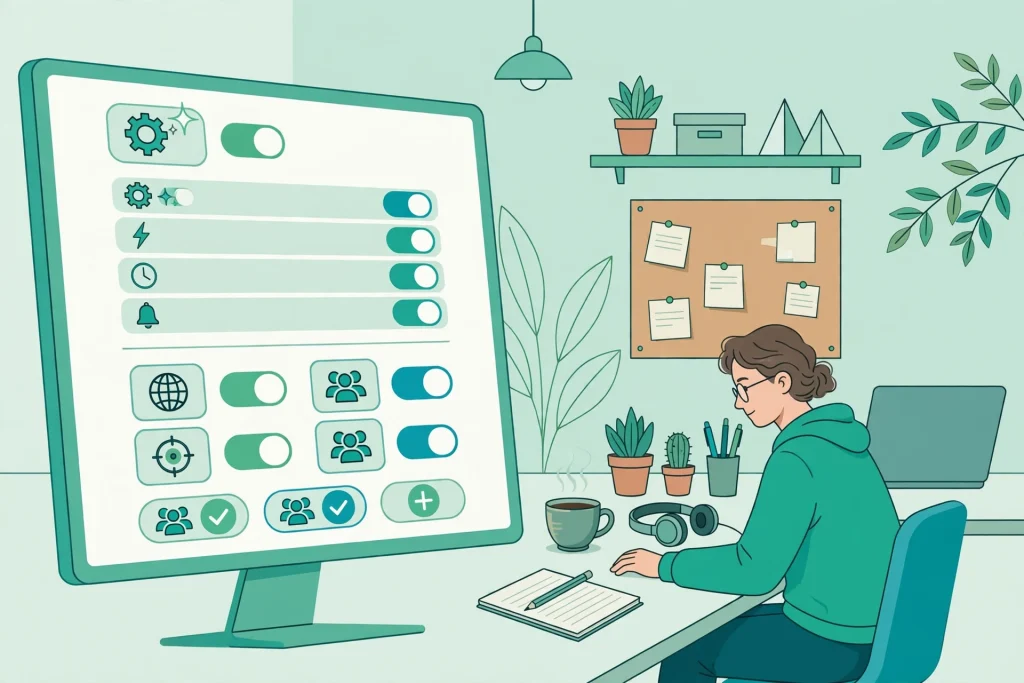
Advantage+ is not one button. It is a set of features you can switch on inside a campaign, an ad set or an ad. The main ones are Advantage+ audience, which lets Meta find people beyond your suggested audience, Advantage+ placements, which runs your ad across Facebook, Instagram, Messenger and Audience Network, and Advantage+ creative, which automatically adjusts your images and videos for each placement. Understanding that these are separate switches matters, because you can use some and not others.
The Three Advantage+ Objectives: Sales, Leads and App Promotion
Most Indian guides only talk about Advantage+ for online shopping. That is a gap, because Meta offers Advantage+ for three objectives, and picking the wrong one is the most common reason campaigns fail.
| Objective | Best for | What Meta optimises for | Watch out for |
|---|---|---|---|
| Sales | Ecommerce stores, D2C brands, course sellers | Purchases, add to cart, checkout starts | Needs a working pixel or Conversions API and enough purchase volume |
| Leads | Real estate, coaching, clinics, B2B services, finance | Form fills, WhatsApp chats, calls | Lead quality varies; use qualifying questions in the form |
| App promotion | Apps for shopping, food delivery, gaming, fintech | App installs, in-app purchases, registrations | Needs app events set up correctly in the SDK |
For a Sales campaign, Meta needs purchase signals to learn. If your store gets fewer than a handful of purchases a week, the system struggles to find more buyers, and your cost per purchase stays high. For Leads, the trap is volume without quality: a campaign can deliver hundreds of cheap leads that never answer the phone. Fix this with a short qualifying form (budget range, city, timeline) and by sending lead data back to Meta through the Conversions API, so the system learns which leads actually convert. For App promotion, the key is choosing the right app event, such as registration completed or first order, rather than optimising for installs alone. Installs are cheap and often worthless.
Use this decision rule. If you sell a product online with a price under Rs 5,000 and get at least 20 orders a week, start with Sales. If you sell a service where the first step is a conversation, such as a home loan consultation or a coaching demo, start with Leads. If your business lives inside an app, start with App promotion. If none of these fits, because you only want page likes or video views, Advantage+ is not the tool for the job.
How Advantage+ Actually Works
Advantage+ works in two phases: learning and stable delivery. During the learning phase, Meta tests your ads against different people and placements to find patterns. This is why the first few days often look expensive and unstable. The system is gathering data, not failing.
Meta’s own guidance, repeated across advertiser documentation, is that an ad set should reach about 50 optimisation events per week to exit the learning phase reliably. For a Sales campaign, that means roughly 50 purchases a week. Few Indian small businesses hit that number, so most small campaigns stay in learning, or in the newer Learning Limited state, for much of their life. That is not a reason to panic, but it is a reason to keep your structure simple. Every time you edit a campaign in a major way, change the budget sharply, add or remove ads, or change the audience, the learning restarts.
Three practical consequences follow. First, use fewer, bigger ad sets rather than many small ones, because one ad set with Rs 1,000 a day learns faster than five ad sets with Rs 200 each. Second, give each ad set at least seven days before judging it, unless it is spending with zero results. Third, feed the system good data: install the Meta Pixel and the Conversions API on your website, so purchase and lead events reach Meta even when browsers block cookies. Without that, Advantage+ is flying partly blind.
Creative is the targeting now. Because Advantage+ chooses the audience, the main lever you still control is the ad itself. Meta’s system shows different creatives to different people, so a single image rarely wins. Aim for six to ten varied creatives in each ad set: a product video, a customer testimonial, a founder story, an offer-led image, a user-generated style clip, and a problem-solution video. Add new creatives every week and pause the weakest ones. This is the single highest-impact habit in Advantage+ advertising in 2026.
How to Set Up Your First Advantage+ Sales Campaign
Here is a step-by-step setup for a small Indian ecommerce store. The same flow applies to Leads and App promotion, with the objective changed at step one.
- Check your foundations. Install the Meta Pixel and Conversions API on your website. Test that a purchase event fires correctly. Set up your product catalogue in Commerce Manager if you want dynamic product ads. Make sure your GST details are entered in the billing section before you spend.
- Create the campaign. In Ads Manager, click Create, choose the Sales objective, and select the Advantage+ sales campaign option. Name it clearly, for example “Advantage+ Sales, Winter Collection, Nov 2026”.
- Set the conversion location. Choose Website, and pick the purchase event. If your site is slow or your checkout drops users, fix that first, because no campaign can save a broken checkout.
- Set the budget. Start with a daily budget you can sustain for at least 14 days. For a small store, Rs 1,000 to Rs 2,000 a day is a realistic starting point. Use a daily budget rather than a lifetime budget while you are learning, because it gives steadier delivery.
- Add audience suggestions, not hard targeting. Advantage+ audience lets you suggest an audience, such as people interested in your niche or your past buyers, and then Meta expands beyond it. Upload a customer list for a lookalike suggestion if you have one. Do not stack ten narrow interests; that fights the automation.
- Add your creatives. Upload six to ten ads in varied formats: vertical video for Reels, square images for feed, and a carousel for product ranges. Write clear primary text with the price, the offer and the delivery promise in the first two lines. Turn on Advantage+ creative enhancements, but check the previews, because automatic text overlays sometimes crop badly on Hindi or regional-language creatives.
- Set the destination and tracking. Send traffic to a fast product or collection page, not your homepage. Add UTM parameters so you can check results in Google Analytics as well as Ads Manager.
- Launch, then wait. Do not touch the campaign for at least three days unless something is clearly broken, such as zero impressions or a disapproved ad. Judge it after seven days on cost per purchase, not on clicks.
For a Leads campaign, the same steps apply, but choose the Leads objective, pick WhatsApp or instant form as the destination, and add two or three qualifying questions. For App promotion, choose the App promotion objective, select your app from the store, and pick the in-app event that matters most to your business.
Small-Budget Starter Plan: Under Rs 50,000 a Month
Most guides assume big D2C budgets. Here is a plan that works on Rs 30,000 to Rs 50,000 a month, which is where most Indian small businesses actually start.
Split the budget into two campaigns, not five. Put about 70 percent into one Advantage+ campaign for your main goal, sales or leads, and about 30 percent into a simple retargeting campaign for people who visited your site or watched your videos but did not buy. Retargeting with a small, warm audience is where small budgets earn their best returns, and it protects you from relying entirely on automation finding cold buyers.
Run the main campaign for a full month before deciding it failed. A realistic expectation for the first month is learning and data collection, not profit. Measure success in stages: week one, are ads delivering and is tracking correct; week two, is cost per add-to-cart or per lead falling; week three onwards, is cost per purchase or per qualified lead stable enough to scale. If after three weeks your cost per purchase is more than twice your target and not improving, pause and fix the offer, the creative or the landing page before spending more. Do not fix it by adding more audiences.
A common mistake is splitting Rs 30,000 across ten ad sets. At Rs 100 a day each, none of them gets enough data to learn, and you end up with ten weak campaigns instead of one strong one. One or two ad sets, one clear offer, and patient measurement beat a complicated structure every time at this budget.
GST, Billing and Account Basics
Indian advertisers must handle GST on Meta ads, and it surprises many first-time advertisers. Meta charges 18 percent GST on advertising services in India. If you have a GSTIN, add it to your advertising account under Business Settings, in the billing section. Meta will then issue GST invoices you can use for input tax credit, and your business name and address will appear correctly on invoices. Without a GSTIN, Meta still charges GST, but you cannot claim it back.
Keep your billing simple. Use one payment method, such as a business credit card or net banking, and set an account spending limit so a runaway campaign cannot drain your budget overnight. Check the billing threshold in Ads Manager: Meta charges your card when you reach the threshold, not at a fixed date, so small accounts see several small charges a month. Download your invoices monthly for your accountant; do not rely on card statements alone, because they will not show the GST breakup.
If your ad account is new, expect a manual review of your first ads, and keep your business documents ready. Ads for finance, health, housing and employment face extra verification in India. Do not use before-and-after images, income claims or misleading discounts, because these are the fastest route to a rejection.

Festive Season Timing
India’s festive calendar is the biggest advertising opportunity of the year, and Advantage+ needs time to prepare for it. Do not launch a brand-new Advantage+ campaign on the first day of Diwali sales and expect instant results. The learning phase takes days, and during festivals, auction prices rise sharply as every brand bids at once.
A practical festive timeline is to start your Advantage+ campaign three weeks before the festival, with a modest budget, so it exits learning before the peak. Increase the budget gradually, by no more than 20 percent every two days, because a sudden doubling resets learning. Prepare festive creatives in advance: a gift guide, a bundle offer, a limited-time discount with a real end date, and a regional-language version for your main market. During the festival, check twice a day for disapproved ads or exhausted budgets, but do not edit the winning ad set. After the festival, keep the campaign running at a lower budget instead of switching it off, so the learning is not lost before the next sale.
Common Mistakes and How to Fix Rejected Ads
The mistakes that waste the most money on Advantage+ are avoidable. First, judging a campaign after one day. Advantage+ needs data, and a single day of results is mostly noise. Second, changing the budget or creatives daily, which restarts learning each time. Third, running one creative only, which gives the system nothing to test. Fourth, sending traffic to a slow homepage instead of the product page. Fifth, ignoring lead quality and celebrating cheap, useless leads.
Rejected ads are common, and most are fixable. If Meta rejects your ad, open the rejection notice in Ads Manager and read the exact policy cited. The usual reasons in India are misleading claims, such as “guaranteed income” or “100 percent cure”, prohibited before-and-after images, missing disclaimers on financial products, and text that covers too much of the image. Fix the specific problem, do not just resubmit the same ad, and avoid editing the ad repeatedly while it is under review. If you believe the rejection is a mistake, use the Request Review option once, with a short note explaining the correction you made.
If your whole account is restricted, check Business Settings for verification requests. Meta may ask for business documents or identity verification, especially for new accounts spending quickly. Complete verification promptly, because an unverified account can be paused without warning.
When NOT to Use Advantage+
Advantage+ is powerful, but it is not right for every situation. Stay manual when your audience is very narrow, for example a B2B product sold to only a few hundred companies in India. Advantage+ needs volume to learn, and a tiny audience gives it nothing to work with. Stay manual when your budget is extremely small, under Rs 500 a day, because the system cannot gather enough data to optimise. Stay manual when you are testing a precise message to a precise audience, such as a new product for a specific profession, because you need clean test results, not automated blending.
Also stay manual, or at least partly manual, when your brand safety matters more than scale. Advantage+ placements can show your ad in places you would not choose, such as Audience Network apps. If that worries you, keep placements manual and use Advantage+ audience only. The best advertisers in 2026 mix both: automation where it wins, and manual control where precision matters.
Frequently Asked Questions
Is Meta Advantage+ good for small businesses in India?
Yes, when it is set up correctly. It works best for businesses with a clear offer, a working website or WhatsApp flow, and at least Rs 30,000 a month to spend. It works badly when the budget is tiny, the tracking is broken, or there is only one creative. Start with one campaign, give it two weeks, and judge it on cost per purchase or per qualified lead.
How much should I spend daily on Advantage+ in India?
A practical starting point is Rs 1,000 to Rs 2,000 a day for a Sales campaign, and Rs 500 to Rs 1,000 a day for a Leads campaign. Below Rs 500 a day, the system gathers data too slowly to optimise. Whatever you choose, keep the budget steady for at least seven days before changing it.
How long does Advantage+ take to learn?
Meta suggests an ad set needs about 50 optimisation events a week to exit learning reliably. For most small Indian businesses, that takes one to two weeks, and many campaigns stay in Learning Limited. That is normal. Judge performance over two to three weeks, not two to three days.
Does Advantage+ charge GST in India?
Yes. Meta charges 18 percent GST on ads in India. Add your GSTIN in Business Settings so you receive proper GST invoices and can claim input tax credit. Without a GSTIN, you still pay GST, but you cannot claim it back.
Should I use Advantage+ audience or manual targeting?
Use Advantage+ audience for prospecting, because it finds buyers you would not think to target. Keep manual targeting for retargeting, such as website visitors or past customers, where precision matters. Many successful Indian advertisers run both side by side.
Why are my Advantage+ leads low quality?
Cheap leads usually mean the form is too easy or the optimisation event is wrong. Add qualifying questions about budget, city and timeline, and optimise for a deeper event, such as a completed call or a qualified lead sent back through the Conversions API, instead of a simple form submit.
Conclusion
Meta Advantage+ is not magic, and it is not a trap. It is a tool that rewards good foundations and punishes sloppy setup. Give it a clear objective, working tracking, a realistic budget and a steady supply of varied creatives, and it will find customers you could never find manually. Give it a broken checkout, one image and Rs 200 a day, and it will spend your money while teaching you nothing.
For most Indian small businesses in 2026, the right approach is simple. Start with one Advantage+ campaign for your main goal, add a small retargeting campaign, keep your budget steady for two weeks, and improve the offer and the creative before you touch the targeting. Add your GSTIN, watch your invoices, and plan festive campaigns three weeks early. Do that, and automation becomes an advantage in the true sense: more customers, less manual work, and a clearer picture of what actually sells.
If you are still running only manual campaigns, try one Advantage+ campaign alongside them this month and compare the cost per result honestly. The data will tell you which approach deserves your budget. For a broader comparison of Meta and Google advertising, read our guide on Google Ads vs Meta Ads in India, and if you are new to Meta advertising overall, start with Meta Ads for Indian Small Businesses. For the wider picture of paid social, see Social Media Advertising for Indian Small Businesses.

1 Comment
Pingback: YouTube Marketing in India 2026: A Practical Guide for Small Businesses