


Introduction
A sudden fall in Google traffic is one of the most stressful moments for any website owner. One morning your pages rank well, the next morning impressions and clicks have dropped, and nobody at Google has sent you a personal explanation. If you run a website in India, whether it is a business site, a blog, or an online store, an algorithm update can feel even more confusing, because the drop may coincide with a festival season, a hosting change, or a normal dip in demand.
The good news is that most algorithm update losses are recoverable. Recovery is not about guessing, and it is not about rewriting everything overnight. It is a structured process: confirm what actually happened, find which pages and queries lost visibility, fix the real weaknesses, and then give Google time to re-evaluate your site. This guide walks you through that process step by step, with practical advice for Indian websites, small teams, and limited budgets.
First, Confirm the Drop Is Really an Algorithm Update
Before you change a single page, prove that an algorithm update caused the drop. Many traffic falls look like update hits but have completely different causes, and fixing the wrong problem wastes months.
Start with Google Search Console. Open the Performance report and compare clicks and impressions for the 28 days before the drop with the period after it. Note the exact date the decline began. Then check whether that date matches a confirmed Google update on the Google Search Status Dashboard or in reputable SEO news coverage. If your drop started on a date with no update activity, look elsewhere first.
Next, rule out the common non-algorithm causes:
- A manual action, shown in Search Console under Security and Manual Actions. Manual actions are different from algorithm updates, and they come with a specific notice and a reconsideration process.
- A technical fault, such as pages accidentally set to noindex during a WordPress update, a broken robots.txt file, a hosting outage, or a migration that changed URLs without redirects.
- A tracking problem, such as an analytics tag removed from a template, a consent banner change, or a domain or subdomain change.
- A demand shift, such as the end of a festival season, a school exam period, or a news cycle moving on. Indian traffic is strongly seasonal, and a post-Diwali or post-summer dip is not always an algorithm problem.
Only when you have matched the date to an update, and ruled out technical and tracking faults, should you treat the loss as algorithm driven. Write down your finding in one sentence, for example: “Clicks fell 38 percent from 12 October, matching the core update rollout, with no manual action and no indexing fault.” That sentence keeps the whole recovery focused.
Find Exactly What Lost Visibility
An algorithm update rarely hits every page equally. Your recovery plan depends on knowing which pages, queries, and sections lost ground, so segment the loss before you fix anything.
In Search Console, sort the Performance report by pages and compare clicks lost over the last 90 days. Ask these questions:
- Did one page type lose most, such as blog posts, product pages, category pages, or location pages? A single template losing ground points to a template problem, such as thin content or duplicate layouts.
- Did informational queries fall while branded queries stayed stable? That pattern usually points to content relevance, not a sitewide trust problem.
- Did mobile traffic fall more than desktop traffic? That points to mobile experience, page speed, or layout issues on phones, which matter enormously in India, where most search traffic is mobile.
- Did traffic from India fall while other countries stayed stable? That can point to regional relevance, language issues, or local competition improving faster than you.
Also look at which queries still bring impressions but fewer clicks. If impressions are stable but clicks fell, your titles and descriptions may be losing the click to AI Overviews, featured snippets, or stronger competitor pages. If impressions themselves collapsed, Google has reassessed the relevance or quality of those pages.
Make a short list of your top 20 losing pages and group them by cause: thin content, outdated information, wrong intent, technical fault, or weak trust signals. This list becomes your fix list, in priority order, and it stops you from rewriting pages that were never the problem.
Run a Focused Technical Check
Content fixes cannot rescue pages that Google cannot crawl, render, or index properly. A short technical check early in recovery often finds a small fault that is magnifying the update loss, and technical fixes are usually the fastest wins.
Work through this checklist for your losing pages:
- Indexing: In Search Console, check the Pages report. Look for pages marked Crawled, currently not indexed or Discovered, currently not indexed. These usually mean Google found the page but did not consider it valuable enough to index, which is a content signal, or that crawl budget is being wasted on low value URLs.
- Robots and noindex: Confirm that your robots.txt file and meta robots tags allow indexing of the pages you want ranked. WordPress updates and staging site migrations are classic sources of accidental noindex tags.
- Canonical tags: Each important page should point to its own correct canonical URL. Conflicting canonicals, often after restructuring categories or pagination, can send ranking signals to the wrong page.
- Sitemaps: Your XML sitemap should list only indexable, canonical URLs, and it should reflect real updates. A stale sitemap full of redirected or removed URLs slows re-evaluation.
- Page speed and Core Web Vitals: Check Largest Contentful Paint, Interaction to Next Paint, and Cumulative Layout Shift in Search Console. Indian users on 4G connections and budget phones feel slow pages more sharply, and heavy images, unoptimised plugins, and third party scripts are common culprits on WordPress sites.
- Mobile layout: Open your losing pages on a real phone. Check for text that is too small, buttons that are too close together, content wider than the screen, and intrusive popups covering the main content.
Fix technical faults first, because every later content improvement depends on Google being able to see it. For a deeper look at how internal structure supports recovery, read our guide to internal linking strategy for Indian websites, which explains how clear hub pages and contextual links help Google rediscover and reassess your best content.
Fix Content Quality the E-E-A-T Way
Most core update losses trace back to content that is thinner, less expert, or less useful than the pages now outranking it. Google’s quality guidance, often summarised as E-E-A-T (Experience, Expertise, Authoritativeness, Trustworthiness), is a useful lens for the rewrite, especially for money, health, legal, and business advice.
For each page on your fix list, ask honestly:
- Does this page answer the searcher’s real question completely, or does it only circle around it? A page targeting best web hosting in India should compare Indian providers, prices in rupees, support quality, and server locations, not just define web hosting.
- Does it show real experience? Add specific examples, Indian pricing, screenshots of your own process, original data, or case details from your own work. Generic advice that could apply to any country is exactly what updates tend to demote.
- Is the author clear? Add author names, short bios, and credentials where they matter. A page giving business or financial advice should not look anonymous.
- Is it up to date? Update statistics, tool prices, platform features, and dates. In 2026, Google’s systems and your readers both notice stale facts quickly.
- Does it match current intent? Search the target keyword and look at what now ranks: guides, comparisons, tools, videos, or local results. If intent has shifted, for example from a definition to a step by step tutorial, reshape the page to match, rather than defending the old format.
Practical rewrite rules that work well for Indian sites:
- Lead with a direct answer, then expand with steps, examples, and detail. This helps readers and helps AI Overviews and featured snippets understand the page.
- Cover one primary intent per URL. Pages that try to rank for informational and transactional queries with the same copy usually serve neither well.
- Add India specific proof: rupee pricing, Indian platforms, regional language considerations, GST or compliance notes where relevant, and examples from Indian cities and businesses.
- Remove or consolidate near duplicate pages. Ten thin pages on overlapping topics dilute authority; one strong, complete page usually recovers better.
- Use structured data correctly. Schema markup helps Google understand your content, and our schema markup guide for Indian websites explains which types fit articles, FAQs, products, and local businesses.
Do not rewrite everything at once. Start with the pages that lost the most traffic and that matter most to your business, then work down the list. Quality rewrites take time, and a smaller set of genuinely improved pages beats a sitewide cosmetic pass.
Rebuild Trust and Internal Links
If an update reduced how much Google trusts your site, on page fixes alone may not be enough. Trust is built by corroboration: other reputable sources, consistent brand information, and a site structure that shows topical authority.
Steps that help:
- Strengthen author and brand signals. Keep your brand name, author names, and business details consistent across your site, your Google Business Profile, directories, and partner pages.
- Earn relevant mentions. Original research, useful Indian data, expert quotes, and genuinely helpful tools earn links and mentions far more reliably than mass guest posting or bought links. Avoid link schemes entirely; a toxic backlink cleanup during recovery is painful and avoidable.
- Build topical hubs. Group related pages under clear hub pages, link from high traffic informational pages to the relevant commercial pages with descriptive anchor text, and make sure important pages are reachable within a few clicks from your homepage. Good internal linking is one of the most underrated recovery tools, and it is fully under your control.
- Fix orphaned pages. Pages with no internal links are hard for Google and readers to find, and they rarely recover on their own.
Trust rebuilding is slower than technical fixes, often taking months rather than weeks, but it is also the most durable protection against the next update.
What Not to Do After an Update
Panic causes most recovery mistakes. Avoid these:
- Do not rebuild everything at once. You cannot know what failed until the audit is done, and mass changes make it impossible to tell which fix worked.
- Do not delete losing pages and start over. Existing pages carry age, links, and history, even when rankings dropped. Improve or consolidate them instead.
- Do not submit a reconsideration request for an algorithm loss. Reconsideration requests are only for manual actions. Algorithmic updates respond only to site improvements.
- Do not buy links, stuff keywords, or publish spun content to win back rankings. These tactics are exactly what updates target, and they can turn a temporary loss into a lasting one.
- Do not make major changes while an update is still rolling out. Wait for the rollout to complete, so your before and after data is clean.
- Do not chase a single ranking tool’s score. Track Search Console impressions, clicks, indexed pages, and business results instead.
A Realistic Recovery Timeline
Recovery speed depends on what caused the loss. Use this as a planning guide, not a promise:
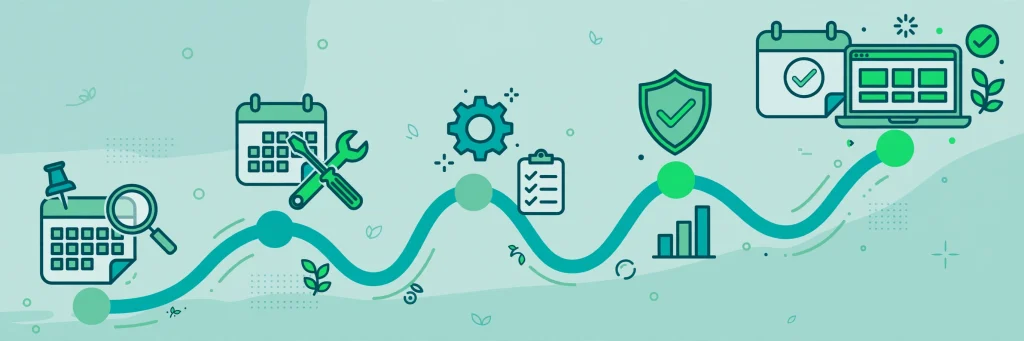
- Weeks 1 to 2: Diagnose, fix technical faults, and confirm indexing. Watch crawl stats and indexed page counts for normalisation.
- Weeks 3 to 6: Publish content improvements on priority pages and request indexing for changed URLs. Watch impressions and query diversity, which often return before clicks.
- Months 2 to 4: Evaluate click recovery and assisted conversions as rankings settle. Core update losses often need a subsequent core update for full re-evaluation, so patience matters.
- Months 4 to 6 and beyond: Trust and authority rebuilds show up. If you have fixed the real weaknesses, traffic often stabilises at a new baseline, sometimes higher than before, because the fixes addressed long standing gaps.
Keep a simple recovery tracker: date, change made, pages affected, and Search Console figures at two week intervals. Without a tracker, it is easy to mistake normal volatility for recovery or failure.
Prevent the Next Hit
The best recovery plan ends with prevention. Build a routine that keeps your site update resistant:
- Review your top 20 traffic pages every quarter. Refresh facts, prices, screenshots, and examples before they go stale.
- Publish fewer, better pages. One complete, expert guide beats five thin posts chasing the same keyword.
- Monitor Search Console weekly. Set a habit of checking performance, indexing, and Core Web Vitals, so the next drop is caught in days, not months.
- Keep technical health clean. Limit plugins, optimise images, and test every site change on mobile before publishing.
- Diversify traffic. Email lists, social channels, and direct visits protect your business while organic rankings fluctuate. For ideas on finding hidden opportunities in your own data, see our Google Search Console tips for Indian websites.
Algorithm updates reward sites that are genuinely useful. If your recovery fixes real weaknesses for real readers, you are not just chasing rankings, you are building a site that deserves them.
Frequently Asked Questions
How long does it take to recover from a Google algorithm update?
It depends on the cause. Technical fixes can show movement in one to four weeks. Content and relevance rebuilds usually take two to four months, and sites hit by a major core update may not fully recover until a later core update re-evaluates the improved pages. Track impressions first, since they often recover before clicks.
Will my rankings go back to exactly where they were?
Not always. If competitors improved during the same period, you may recover traffic but with a different mix of keywords. In some cases recovery exceeds the old position, because the fixes addressed weaknesses that were holding the site back before the update.
Should I submit a reconsideration request after an algorithm update?
No. Reconsideration requests are only for manual penalties, which appear explicitly in the Manual Actions section of Search Console. Algorithmic updates are automated, so only improving the site changes the outcome.
Is my traffic drop a penalty or an algorithm update?
Check Search Console first. A manual action notice means a penalty with a specific cause. No notice, plus a drop aligned with a confirmed update date, points to an algorithm reassessment. A drop with no update and no notice usually points to a technical fault, a tracking change, or a demand shift.
Should I delete pages that lost rankings?
Usually no. Improve them, update them, or consolidate overlapping pages with a redirect. Deleting a page throws away its age, links, and history. Only remove pages that are truly useless, duplicated, or misleading, and redirect them sensibly when you do.
Conclusion
Recovering from a Google algorithm update is a diagnostic job, not a guessing game. Confirm the cause, segment the loss, fix technical faults, rebuild content quality with real expertise and India specific detail, strengthen trust and internal links, and then track progress patiently. Avoid panic changes, bought links, and mass rewrites that hide which fix actually worked.
Indian websites that follow this process usually come out stronger, because the work that recovers rankings is the same work that serves readers better: clearer answers, faster pages, honest expertise, and content built for Indian users. Start with your top losing pages this week, keep a simple tracker, and let the next update find a site that is already in good shape.
